Shopify Apps & Tools Reviews
CRO Shopify
How to Add a Free Gift With Purchase on Shopify (Tiered Gifts + Progress Bar)

Quick answer: A free gift with purchase works best when the cart tells shoppers exactly how close they are to it. Three steps:
Set the main gift about 20–30% above your average order, ideally one product away.
Pick a gift that costs you little but shows a clear value.
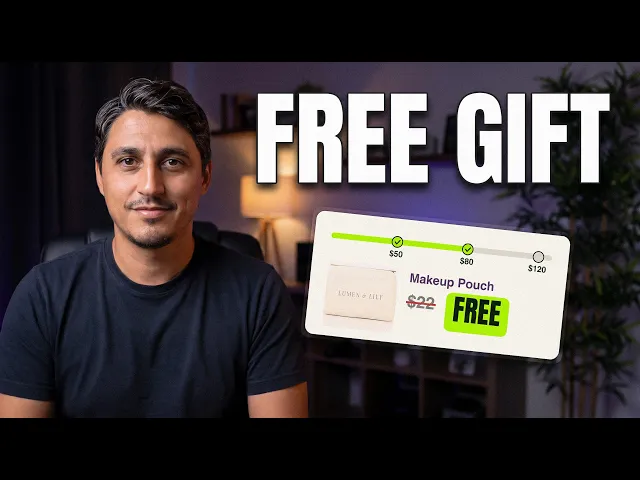
Add a progress bar like "Spend $18 more for a free Makeup Pouch."
On my demo store, a $22 pouch that costs me about $3 turned a $62 order into an $80 one: about $9.60 more profit, where a 15% discount would have given away about $9. I built the whole tiered offer by chatting with Monk AI inside the Monk Free Gift with Purchase app.
Disclosure: Monk sponsored this video and post. I tested the app on my own development store, and the results and opinions here are mine. Charlotte Tilbury has nothing to do with Monk; I only studied their public store as a shopper.
Key takeaways
Tell shoppers how close they are. Charlotte Tilbury's bag showed the same gift message at $51.75, $81 and $102. A progress bar with the exact gap is the easy win for a small store.
Main tier: 20–30% above your average order, one product away. It's a rule of thumb, not a study. Too low and you pay for orders you'd get anyway; too high and nobody tries.
The gift has 5 checks: cheap for you, clearly valuable (show the price), related to what they buy, brings them back, and ideally something they can't buy.
A gift can earn money where a discount costs it. With my assumptions, a $3 gift that moves a shopper from $62 to $80 adds about $9.60 profit. 15% off a $62 order gives away about $9.
Two settings break free gifts quietly: the app turned off in your theme, and Auto remove left off.
Watch the video
Prefer to watch? The 12-minute video breaks down Charlotte Tilbury's tiers, then builds the same offer on my store with Monk AI and tests it as a shopper.
Where the free gift with purchase came from
Estée Lauder started her company with her husband in 1946. According to her company's own history, she had the products but no budget for an ad agency, so she put the money into free samples and gave them away with a purchase. Her company credits that with helping establish the "Gift with Purchase" idea across beauty (her 2004 obituary tells the same story).
By 2004, a beauty consultant quoted in the Baltimore Sun summed up tiered gifts in one line: you can get one of these if you just "spend five more dollars." That's a progress bar, decades before you could add one to a Shopify cart.
How Charlotte Tilbury runs tiered free gifts
Charlotte Tilbury runs the same tiers online today. Their sale has two parts: 25% off everything, and gifts that stack as you spend.

Spend $115: a full-size Pillow Talk lip plumper, worth $37 by their numbers.
Spend $180: a mascara joins it.
Spend $250: an exclusive makeup bag.
The gifts are added to your bag automatically, and the offer follows you through the whole store. The homepage leads with the biggest tier, $250. The product page puts the smallest, $115, right next to the Add to Bag button.
The one thing their bag never tells you
I filled the bag one product at a time. At $51.75, the banner said "Unlock free gifts worth $37 when you spend over $115." At $81, same message. At $102, I was $13 away, and it was the same message word for word.

There's no gift progress bar. The only progress bar on the site is for free shipping.
One more detail, in the same $102 bag:
Full price: $136. That's already over $115, but there was no gift.
After the 25% off: $102. That's what I'd actually pay, and it's under $115.
I added one more product, so I'd pay $129 after the discount. The lip plumper dropped in, and the banner jumped to the next tier.
That's on purpose. Their terms count the amount you pay after the discount, not the full price.
If you run a sale and a gift together, count the threshold after the discount, and show the gap.
What they get right
The tiers sit $65, then $70 apart. At sale prices, that's one or two products per step.
The deal gets better as you spend more. At $115 you get $37 in gifts; at $250, $106.
The first gift is a real product, not a sample. It's the lip plumper they sell for $37. You use it up, you like it, and you come back to buy another. Same idea Estée Lauder started with.
Every tier shows what the gifts are worth, so you know what you're getting.
The top gift can't be bought. You only get that makeup bag free.
Related: I studied $100M brands: the 3 offers that always sell (stacked gifts are one of them).
4 ways free gift offers go wrong
When Shopify stores copy this, four things usually go wrong:

The gift starts at $200 when most orders are $60. Nobody even tries.
The gift is a keychain or a sticker nobody asked for.
It says "free gift" but never says what it's worth.
Shoppers only find out at checkout, when it's too late to add something.
Start with one gift, or go all in
If you're just testing this, start with one gift. Say most orders are around $60: put the gift at $75 and make it a travel size of your best seller.
If you want more, add a second and a third gift, each one a bit further up. If you want to go all in, do what Charlotte Tilbury does: three gifts, the value shown on each, and a top gift people can't buy anywhere.
Step 1: Pick your threshold
The threshold is the one number that decides if this works.
Set your main tier about 20–30% above your average order, ideally exactly one product away. That's a rule of thumb; I couldn't find a solid study behind it. Too low, and you pay for gifts on orders you'd have got anyway. Too high, and nobody tries.
This is my demo store, Lumen & Lily. The average order is $62: a toner and an eye balm.

$80 is the main tier. That's 29% up, and one $18 lip oil away.
$50 sits below a normal order, so most orders get a gift.
$120 is almost double a normal order, on purpose. It's for the big spenders: people stocking up or buying presents.
Your turn: open Shopify Analytics, find your average order value, add 20–30%, and that's your number.
Step 2: Pick the gift (5 checks)
The gift has to pass five checks:
Cheap for you.
Clearly valuable, so show the price.
Related to what they buy.
Something that brings them back.
Ideally, something they can't buy.
My three: a travel size of my $48 serum, worth $18 (the same "use it up, buy the full size" idea as the lip plumper); a pouch with a $22 value; and a gift-edition mask you can't buy.
Free gift vs discount: the money
These costs are my assumptions, so swap in your own: 70% margin, the pouch costs $3 to make, the travel serum $2.50.
With the gift, one shopper goes from $62 to $80:
$18 more in sales × 70% margin = $12.60 more profit
minus $3 for the pouch
= about $9.60 extra in your pocket, and the shopper sees a $22 gift.
With 15% off (what most stores would run):
15% of a $62 order = about $9.30 given away
and the shopper still only spends $62.

The gift earns you money. The discount costs you money.
The catch: free riders
Some people would spend $80 anyway, and they get the pouch too. Those are your free riders. Here's an example for every 100 orders:
20 shoppers move up to $80 because of the gift: 20 × $9.60 = +$192
15 shoppers were at $80 anyway, so their pouch is pure cost: 15 × $3 = −$45
Result: about +$147 per 100 orders. Still clearly worth it.

The $50 tier works differently. It sits below a normal order, so most orders get it without trying. Say 70 of 100 orders qualify: 70 × $2.50 for the travel serum = about $175 per 100 orders. That only pays off if the gift makes more people buy in the first place. So save a low tier like that for big moments like Black Friday or the holidays. Back in 2004, a trade editor already warned that customers learn to wait for the gift.
Related: Shopify conversion rate optimization.
Step 3: Build the tiered offer with Monk AI
So: $50, $80, $120. A travel serum, a pouch, a mask. Now let's build it, including the progress bar Charlotte Tilbury doesn't have. I used the AI inside Monk Free Gift with Purchase.
Describe the whole offer in one message
In the Shopify admin, open Apps → Monk and click into the Monk AI box. I typed the whole offer in one go: three tiers, three gifts, an end date, and "remove the gift if the cart drops below its amount."

It read all three tiers from that one sentence and picked the offer type itself: a tiered progress bar.
Set the milestones and gifts
Click Open, and a pop-up called Set milestones & rewards opens. This part you fill in yourself:
Milestone 1: type 50 in the amount field. For the reward, pick Free gift-Auto add (the gift goes into the cart by itself, the shopper doesn't have to pick it). Click Select free gift and pick the travel serum.
Milestone 2: 80, the makeup pouch.
Milestone 3: 120, the mask.

Click Save. A moment later, Monk AI lists the settings in a table. Two matter most:
Auto remove: on. If the cart drops below a tier, that gift comes back out. It was already on, because I asked for it in the prompt.
The gifts stack: a $120 cart gets all three, not just the mask.
I replied "Auto remove on, auto-refresh off, keep the gifts stacked." (Auto-refresh reloads the cart page by itself after a gift is added or removed; I kept it off.)
Bar style, name and end date
Bar style: I picked Marker, a straight bar with a marker and label for each tier, so shoppers see all three gifts at once.
Name: it suggested one ("Black Friday Tiered Gifts").
Schedule: a Schedule offer pop-up opens. Tick Disable this offer at a future date and set it to end when your sale ends. Mine: November 30, 11:59 PM.

Check the time zone. Mine started on India time; I switched it to Eastern.
Monk AI then sums it all up and asks to create it. I typed "yes", and it was live.
It flagged its own mistake
Right after saving, Monk AI flagged something itself: Allow gift opt-out came out on. That lets a shopper delete the free gift, and I didn't ask for it. I typed "Turn gift opt out off." Done, and the offer stayed live.

That's also how you edit a live offer: by chat. One honest note: Monk AI is labelled Beta and says it may be inaccurate, so read its summary table before you say yes.
Shopper test: the gift progress bar
This is the cart page. I added a toner and an eye balm: $62, my average order. The travel serum is already in the cart at $0, and above it, the bar:

"Spend $18 more for a free Makeup Pouch." That's the line Charlotte Tilbury's bag never showed me.
I opened the Lip Glow Oil ($18) and added it to the cart. Back in the cart, the pouch is already there: $80 exactly, and the bar moves on to "Spend $40 more for a free Lily Mask."

At checkout, both gifts show as free. Total savings: $40.

A product-based free gift (buy X, get a gift)
The same chat builds simpler offers too. In Monk AI I typed: "When someone buys the Barrier Glow Serum, add a free Mini Lip Glow Oil." Two pop-ups open: in the first I picked the serum, in the second the lip oil. I said "create it", and Serum Gift was live.
On the store, I added the serum. A few seconds later, the lip oil was in the cart, free.

Prefer not to chat? Use the templates: Monk → Create offer → Free gift tab. Auto-add templates put the gift into the cart for the shopper; Selection templates show a few gifts and let the shopper choose one. Pick one and it walks you through the setup.
Related: if you'd rather do a simple free gift without an app, see how to add a free gift with purchase on Shopify with Buy X Get Y, and 3 ways to add a free gift on Shopify.
2 settings that quietly break free gifts
I tested both.
1. The app has to be switched on in your theme
With the app embed off, my offers said Active and the store showed nothing.

The fix: click Enable app, then Save in the theme editor.
2. Auto remove
If you leave Auto remove off, here's what happens: the shopper hits $80, gets the pouch, then deletes the lip oil. The cart drops below $80, the pouch stays, and now the shopper gets charged $22 for it.

With Auto remove on, same move: a few seconds later the pouch is gone, and the bar asks for $18 more again.
Before your sale starts, add a gift, then remove the product that unlocked it. If the gift stays at full price, turn Auto remove on.
What it costs
Monk Free Gift with Purchase has one plan with every feature. Its Black Friday offer, per the App Store listing and Monk: a 7-day free trial, then $1 for the first month, on any Shopify plan, until November 30, 2026. After that it was $49/month for stores with up to 1,000 orders a month and $149/month above that when I checked in November 2026. Check the listing for current pricing.
FAQ
How do I add a free gift with purchase on Shopify?
Shopify's native Buy X Get Y discount can give a free product, but the shopper has to add it to the cart themselves and there's no progress bar. A free gift app like Monk adds the gift automatically when the cart reaches the amount, shows a progress bar, and removes the gift if the cart drops back below it.
What's a good threshold for a free gift?
A common rule of thumb is 20–30% above your average order value, ideally exactly one product away. With a $62 average order, I set the main gift at $80. There's no solid study behind the exact range, so treat it as a starting point and watch your numbers.
Is a free gift better than a discount?
Often, if the gift is cheap for you and the threshold makes people add a product. In my example, a $3 pouch on a $62→$80 order adds about $9.60 profit, while 15% off a $62 order gives away about $9. Free riders (people who'd spend $80 anyway) eat into that, so keep low tiers for big sales.
Should the free gift threshold count before or after discounts?
After. Charlotte Tilbury's terms count what you pay after the discount. If you run a sale and a gift together, set the threshold on the discounted total and show shoppers the exact gap.
Why isn't my free gift showing on my Shopify store?
The most common reason: the app's theme embed is off. In Monk, Manage offers shows "App is disabled"; click Enable app, then Save in the theme editor.
What happens if a customer removes items after getting the free gift?
With Auto remove off, the gift stays in the cart and can be charged at full price. Turn Auto remove on so the gift comes out when the cart drops below its tier.
Watch the full walkthrough
Watch the full video on YouTube to see the Charlotte Tilbury breakdown and the whole build on my store. If you'd like help setting up offers like this on your own Shopify store, work with me.
Related: I wasted an hour on Black Friday badges. Do this instead.
Now I'm curious: would you put your first tier below your average order, like my $50, or does that just give margin away? Tell me in the YouTube comments.