Updates
Shopify Editions Fall 2026: 7 Updates That Matter Before Black Friday

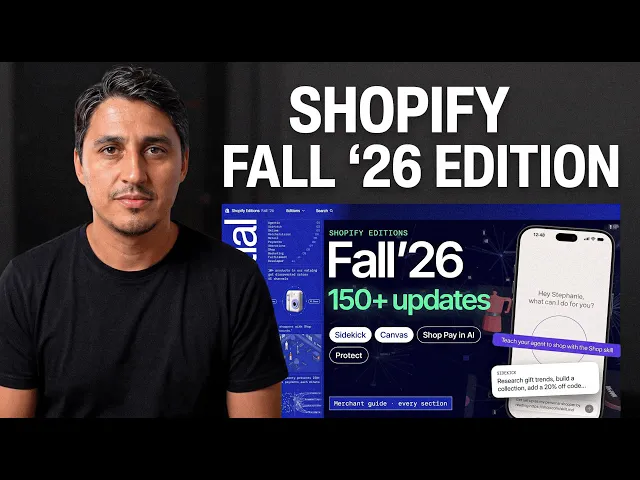
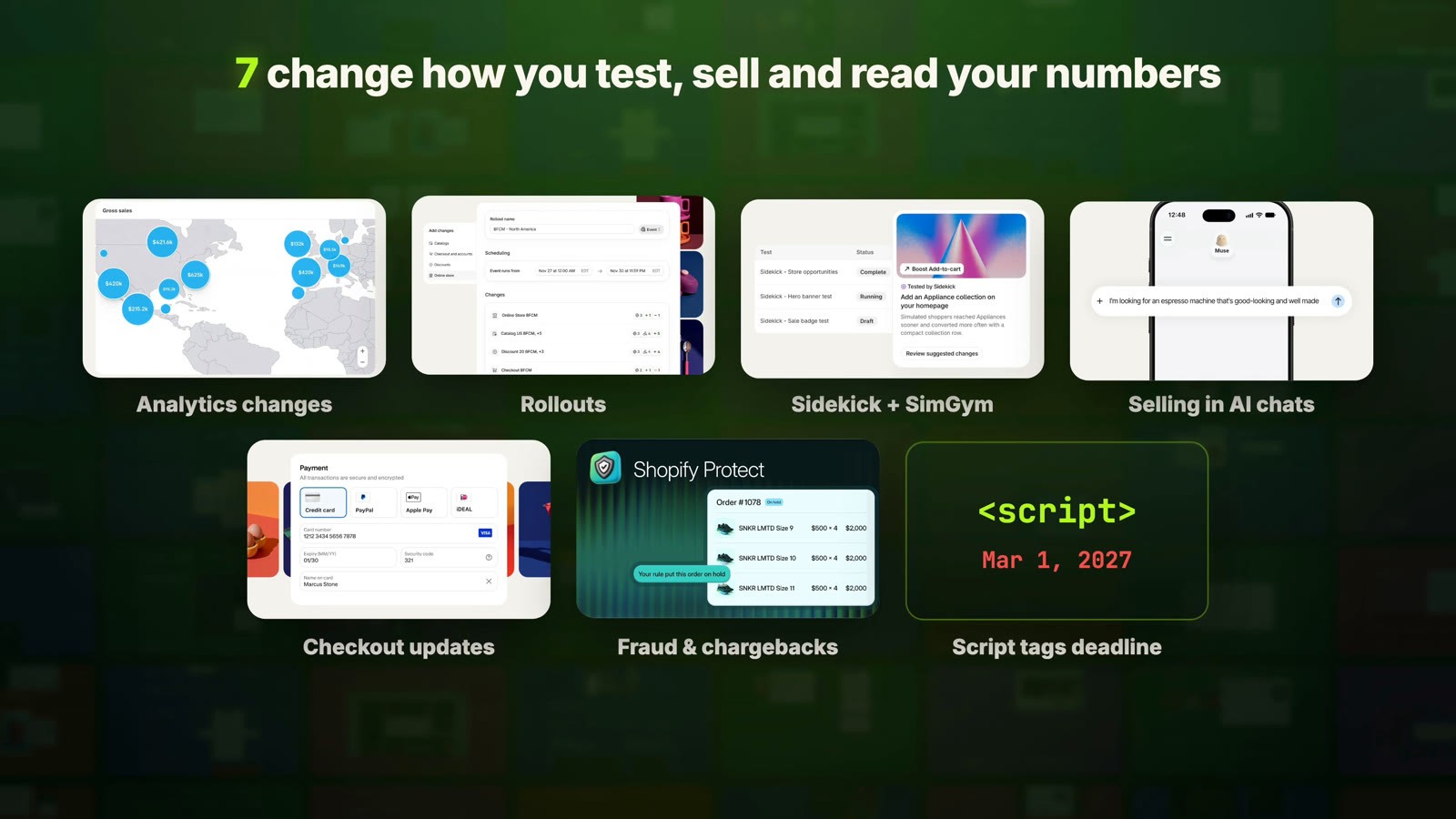
Quick answer: Shopify's Fall '26 Edition lists 150+ updates. I went through all of them so you don't have to. Most you can ignore. Seven change how you test, how you sell and how you read your numbers: the new session counting in analytics, Rollouts, Sidekick with SimGym, selling inside AI chats, faster pages plus the script tags deadline, checkout custom fields, and fraud and chargeback automation. Two are worth setting up before Black Friday: a note on your analytics for September 21, and your Black Friday sale built as a Rollout Event.
Key takeaways
Your conversion rate may have moved without anything changing. Between September 21 and 23, 2026, Shopify changed how it counts sessions. Bots are filtered out by default, so compare Black Friday by orders and sales, not conversion rate alone.
Rollouts let you build Black Friday ahead of time. Your sale theme, discounts and sale catalog go live together at midnight and roll back on their own when the sale ends.
Your products can be sold inside Google AI Mode and the Gemini app, but only if your store is eligible. Check it under Sales channels › Agentic.
Script tags stop loading on March 1, 2027. Ask your older apps if they've moved off them.
Checkout custom fields and Shopify Protect are rolling out soon. You may be able to drop a paid checkout-fields app.
Watch the video
Prefer to watch? The 10-minute video walks through all seven updates, with my take on each one.
1. Your analytics now filter out bots (and your conversion rate moved)
Let's start with the one that already changed your numbers. Between September 21 and 23, 2026, Shopify changed how it counts sessions:
Identified bot sessions are filtered out of your session reports by default.
A session no longer ends at midnight UTC. It runs until the visitor has been inactive for 30 minutes.
Some visits without a page view now count, like a customer who goes straight to checkout from a cart link.

Why does this matter? Sessions are the bottom half of your conversion rate. If bots were inflating your sessions, your conversion rate looked lower than it really was. With the bots gone, the same sales can show a higher conversion rate. And if the new checkout visits add sessions, it can go the other way.
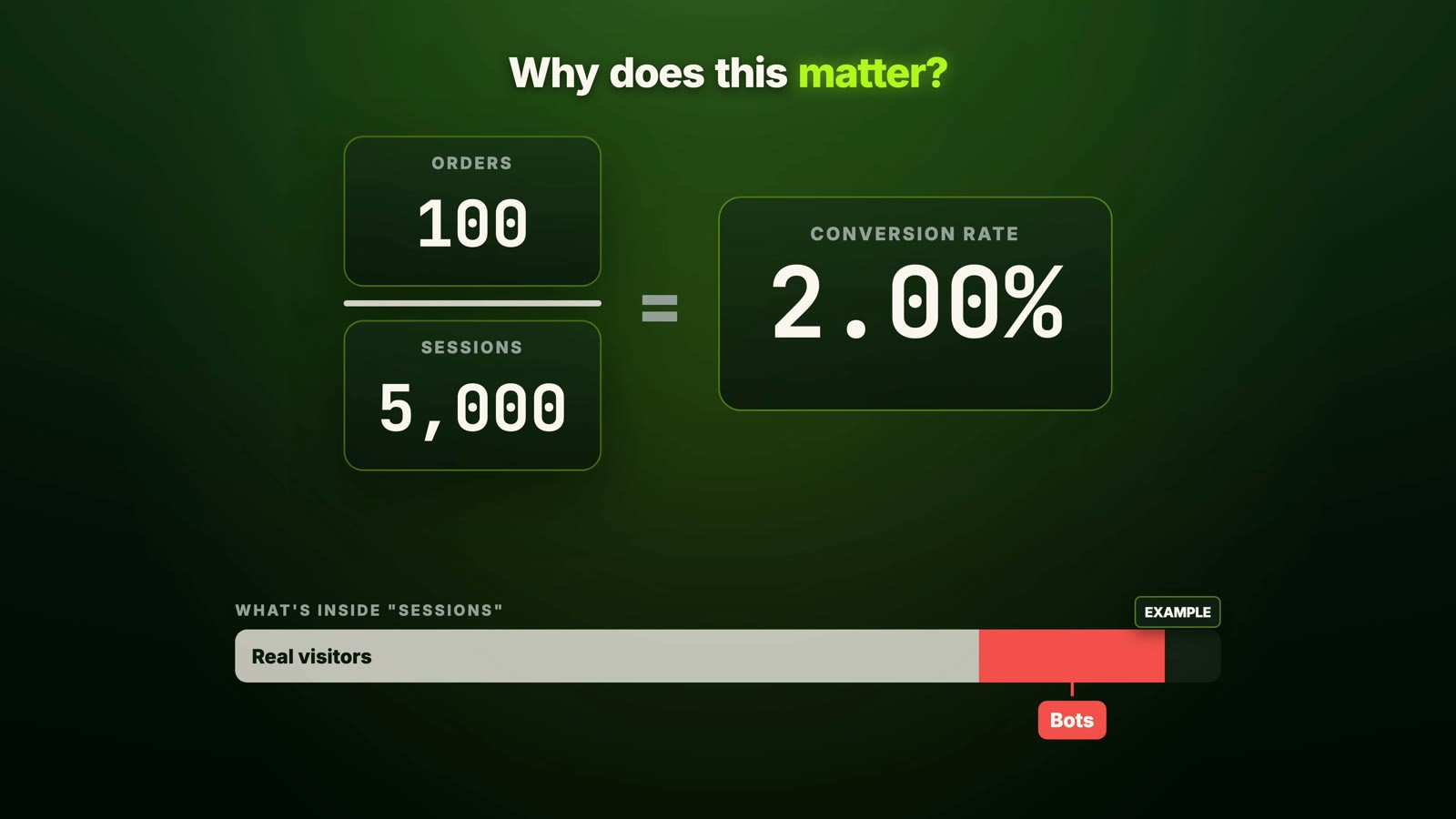
Your orders and sales don't change at all. So if your conversion rate moved since late September, your store didn't get better or worse. The measurement changed. Shopify's own advice is to use the numbers after the update as your new baseline. When you compare this Black Friday to last year's, look at orders and sales, not just conversion rate.
If your conversion rate moved since late September, your store didn't get better or worse. The measurement changed.
Related: Shopify conversion rate optimization
Two more analytics updates I really like
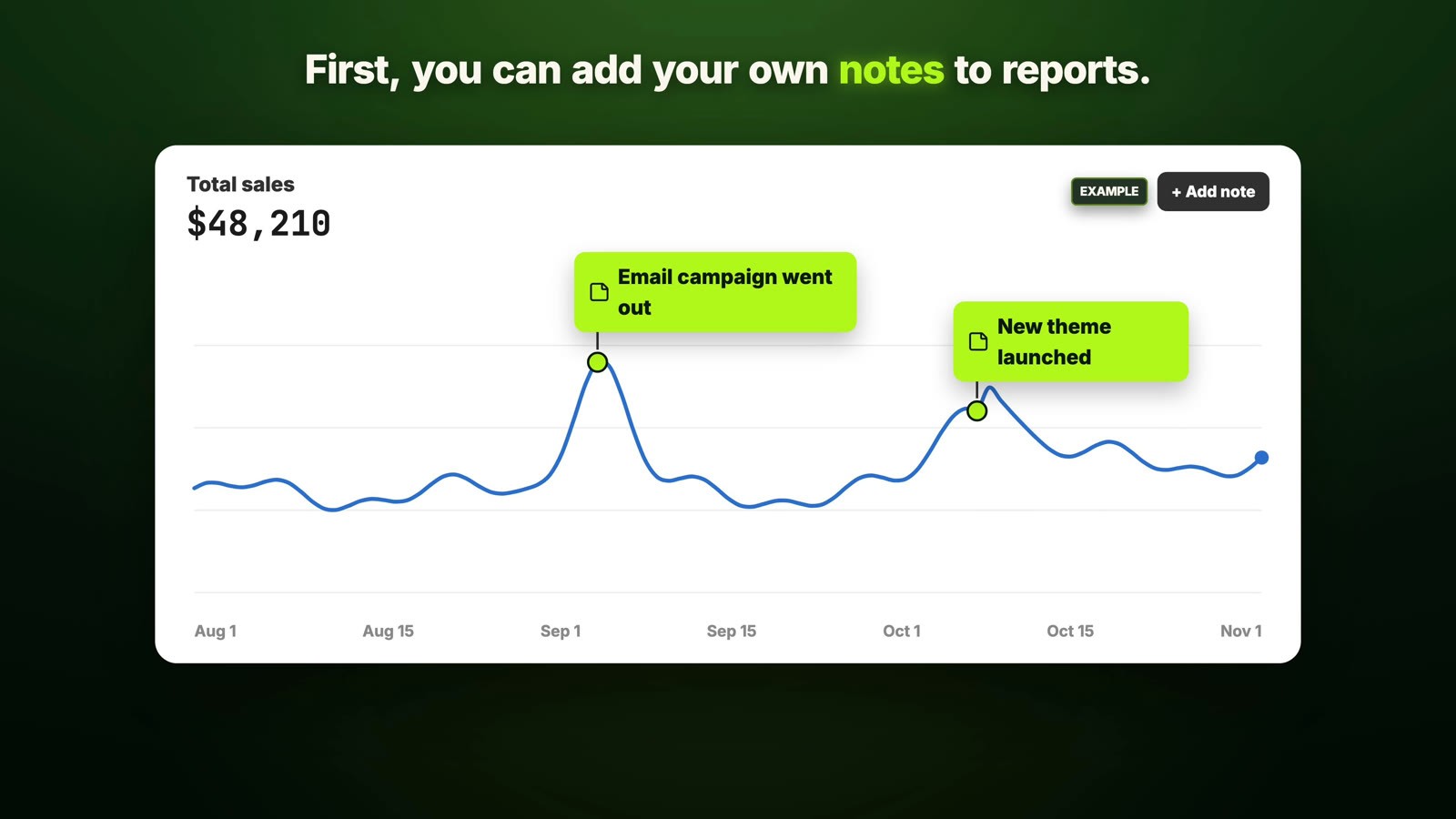
First, you can add your own notes (annotations) to reports. When sales jump, write "email campaign went out" or "new theme launched" right on the chart. Months later, you'll know why the line moved.
Second, you can now group and filter reports by category metafields and metaobjects: color, material, designer, warranty, loyalty status. So you can finally see which material sells best without exporting everything to a spreadsheet.

My take: start adding notes today. Your first one goes on September 21. It costs nothing, and it makes every report more useful later.
2. Rollouts: schedule and A/B test your store
This is the one I'm most excited about. It's called Rollouts, and you'll find it under Markets › Rollouts. A rollout is a set of changes to your store that goes live together, on a schedule: a theme change, a checkout configuration, market catalogs and discounts.
There are three types:
Launch makes the changes permanent at the time you pick.
Event runs for a set period, then rolls everything back on its own.
Experiment is a real A/B test. It splits your traffic between your current version and the new one, and shows you the results.
Think about Black Friday. You can build your sale theme, your Black Friday discounts and a sale catalog with Black Friday prices ahead of time, and schedule it all as one Event. It goes live at midnight and rolls back on its own when the sale ends. No more staying up to switch themes, and no discount left running by mistake in December.

The Experiment type means you can test a new theme, or changes to your theme, against your current one with no extra app.

A few things to know (requirements):
Rollouts work on the Basic plan or higher.
Experiments need the Grow plan or higher.
Rollouts don't work with vintage themes.
My take: if you only set up one thing from this post before Black Friday, make it this one.
Related: Free gift with purchase on Shopify
3. Sidekick now tests its own ideas (with SimGym)
Sidekick, Shopify's AI assistant, got a lot more useful in this update. The biggest change: Sidekick can suggest improvements to your store that it has tested with SimGym, and you choose which ones to apply.

SimGym is a Shopify app that sends AI shoppers with human-like personas through your store, and shows you how they behave: how they add to cart and how they move around. You can even give a simulation a shopping goal, and it shows you on your store where to make the change.
Be careful here:
AI shoppers are not real customers.
SimGym is still in AI Research Preview.
It's free to install but charges per simulation run.
So use it to find ideas worth testing, then test the winners on real traffic with a Rollout Experiment. That's a really solid workflow.
The second change I'd actually use every week: Sidekick can now make a plan, you approve it once, and it applies many changes at a time, like editing the descriptions of every product in a collection. That's hours of work saved. You can also give Sidekick markdown files that teach it how your theme is built and your design preferences, so they get applied across conversations.
My take: use the bulk changes now. Treat SimGym as a source of ideas, not as proof.
Related: I gave an AI agent my Shopify store
4. Customers can now buy from you inside AI chats
Your products can now be sold inside AI assistants. Shoppers can buy in Google's AI Mode and the Gemini app, with checkout powered by Shopify. They buy in the chat, and you manage the order in your admin like any other order. There are no extra fees, just your standard payment processing. Shop Pay also works in more AI agents.

Here's the part most people will miss: not every store gets in. It's rolling out to eligible stores, and you need to:
sell to customers in the US, Canada or Australia,
have your products in Google Merchant Center,
have products eligible for Shopify Catalog.
In your admin, go to Sales channels › Agentic to see whether your store is eligible for Shopify Catalog, and the reason if it isn't. Shopify's help page tells you exactly what to fix.
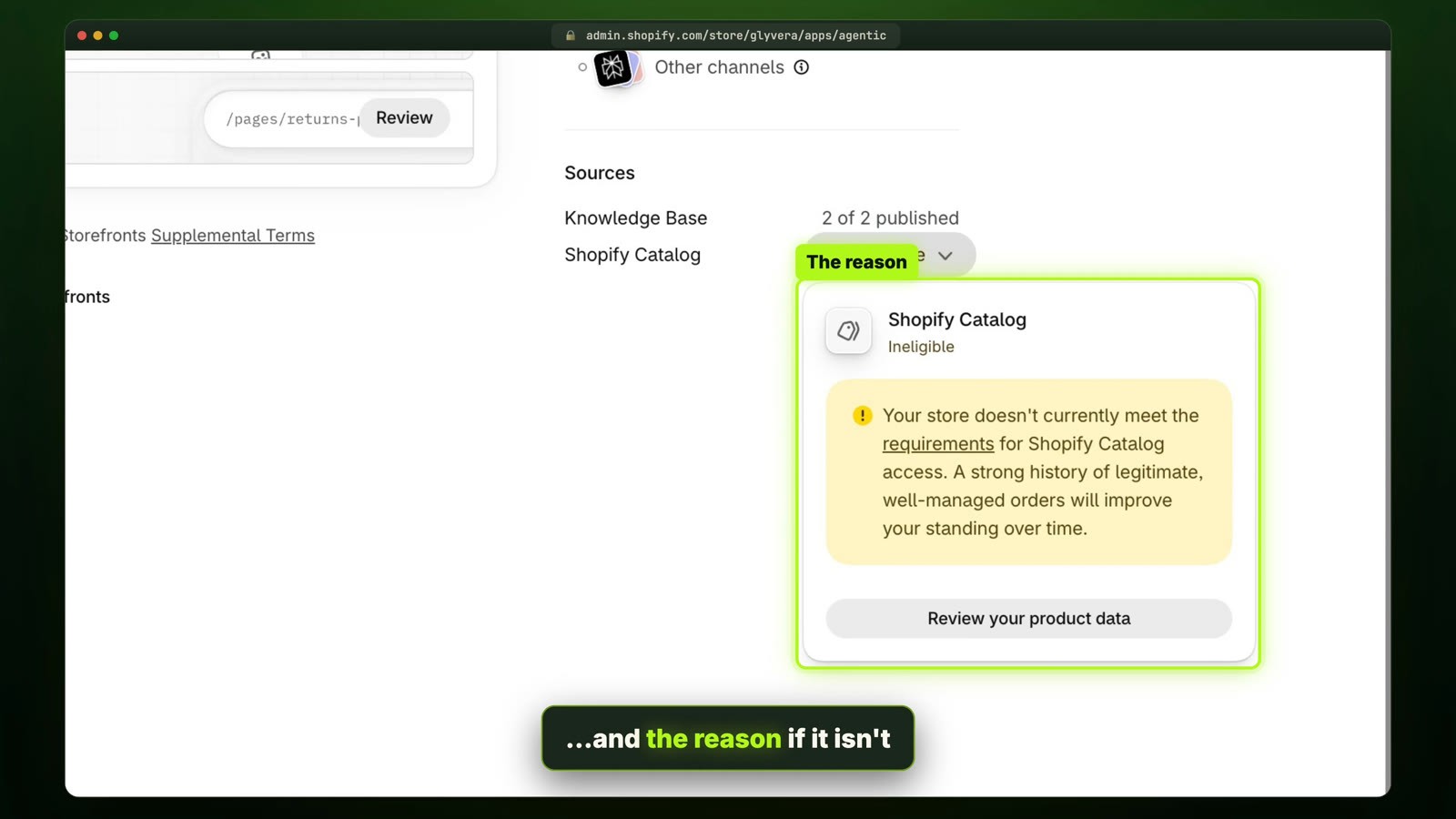
One thing to know before you turn it on: in these AI checkouts, Google Analytics and your custom pixels don't fire, so those sales won't show up in your tracking the way normal orders do.
Two more things here:
Your compare-at prices now get passed to AI shopping agents, so shoppers see when a product is on sale. No setup needed.
In the same Agentic section there's a knowledge base: the facts AI agents use to answer questions about your store, like returns, shipping and contact details. You review and approve those facts, and Shopify suggests improvements.
My take: check your eligibility today, then read what the AI knows about your store. If your return policy is wrong in there, the AI will repeat it to every customer.
Related: Your Shopify cookie banner doesn't stop Meta
5. Faster pages, and the end of script tags
Some speed updates happen without you doing anything. Pages now load faster because Shopify delivers only the CSS each page uses, and add-to-carts from search improved by 8% with better suggestions while shoppers type.
The update with a deadline is script tags, the old way apps added code to your store (timeline):
Since October 1, 2026, apps can't create or update script tags. Existing ones keep working for now.
On March 1, 2027, Shopify stops loading them.

So go through your installed apps. If an old app still depends on script tags, that feature stops working in March unless the developer moves it to theme app extensions or web pixels. Developers also get a new theme architecture, with pages composed from blocks, Tailwind styling built in, and markdown files to guide AI agents. Don't rebuild your store on it today, but it's worth watching.
My take: ask your oldest apps about script tags this week. You have until March, but don't leave it for later.
Related: How to remove unused JavaScript and speed up your Shopify store
6. Checkout gets custom fields and a cleaner design
Checkout has a few updates rolling out soon. The useful one is custom fields: you can add text inputs, date pickers, checkboxes and choice lists to the checkout. So you can collect gift messages, delivery instructions or a delivery date without an extra app.
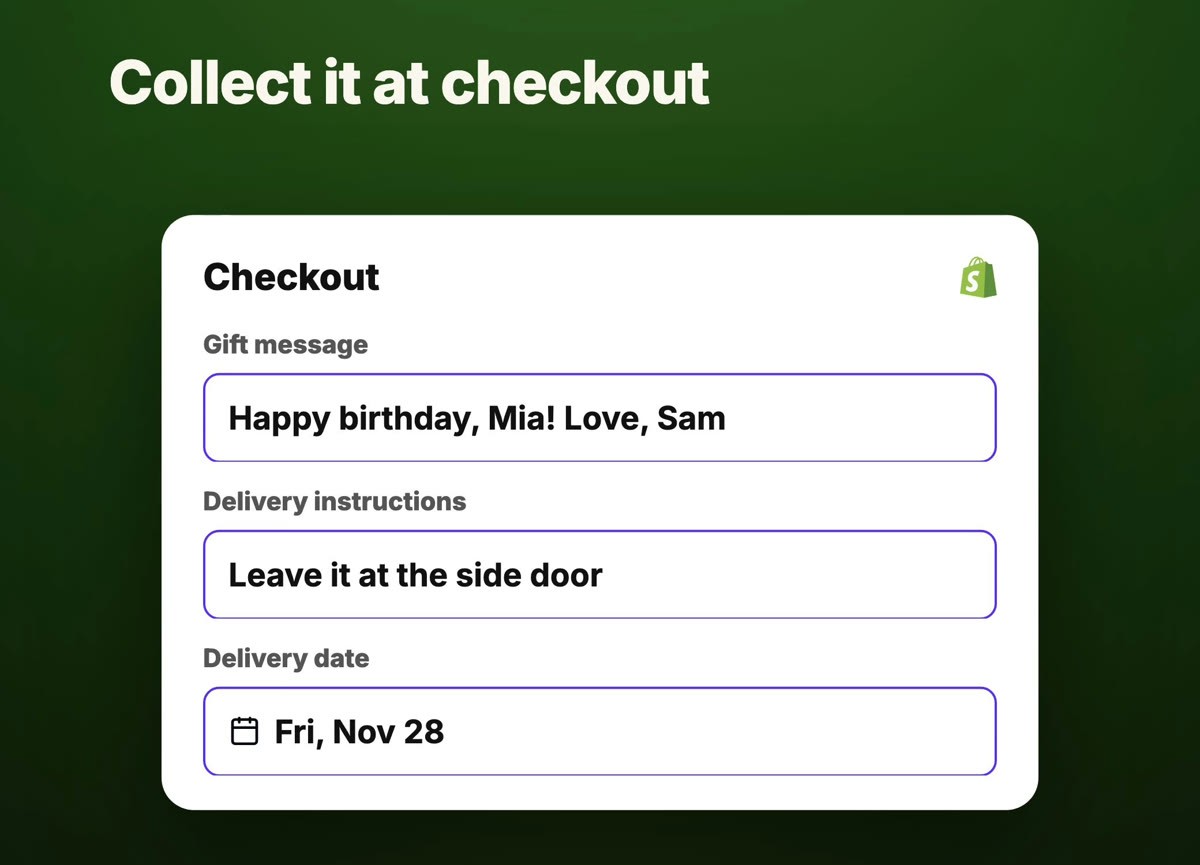
Payment methods also get a tiled design instead of radio buttons, and there's a small animation on the thank-you page when the order is confirmed.
My take: if you pay for an app just to add a gift message or delivery note field, you might be able to remove it soon.
7. Fraud and chargebacks, mostly automated
Shopify now blocks high-risk orders before payment is authorized at checkout, and the orders page shows which factors made an order risky, so you can decide whether to ship it.
For chargebacks, Shopify is adding AI-written responses for every dispute, based on the customer's bank and the reason code. When a customer says the order never arrived, Shopify attaches the carrier's proof of delivery, and delivery photos from FedEx now show up on the order.
There's also a new app, Shopify Protect: Rule Builder, where you write your own fraud rules and backtest them on past orders before you turn them on.

Some of these features are rolling out soon and may not be in your store yet.
My take: you don't have to do much here. But if chargebacks cost you money every month, install Shopify Protect when it's available to you.
Everything else, quickly
Admin: a redesigned admin, with Sidekick in a floating prompt on every page.
Marketing:
- automated WhatsApp messages from Shopify Messaging to recover abandoned carts and checkouts,
- a pre-built Black Friday email campaign you can customize and schedule,
- Campaign Autopilot for AI campaigns on channels like Microsoft Advertising and Snapchat.
Shop app:
- the Shop Promise badge helps your products rank higher in Shop app search and in Shopify Catalog,
- shoppers can put products from multiple brands in one cart.
POS: scheduled stock counts and expanded in-store customer recognition.
Your Black Friday checklist (if you only have one hour this week)
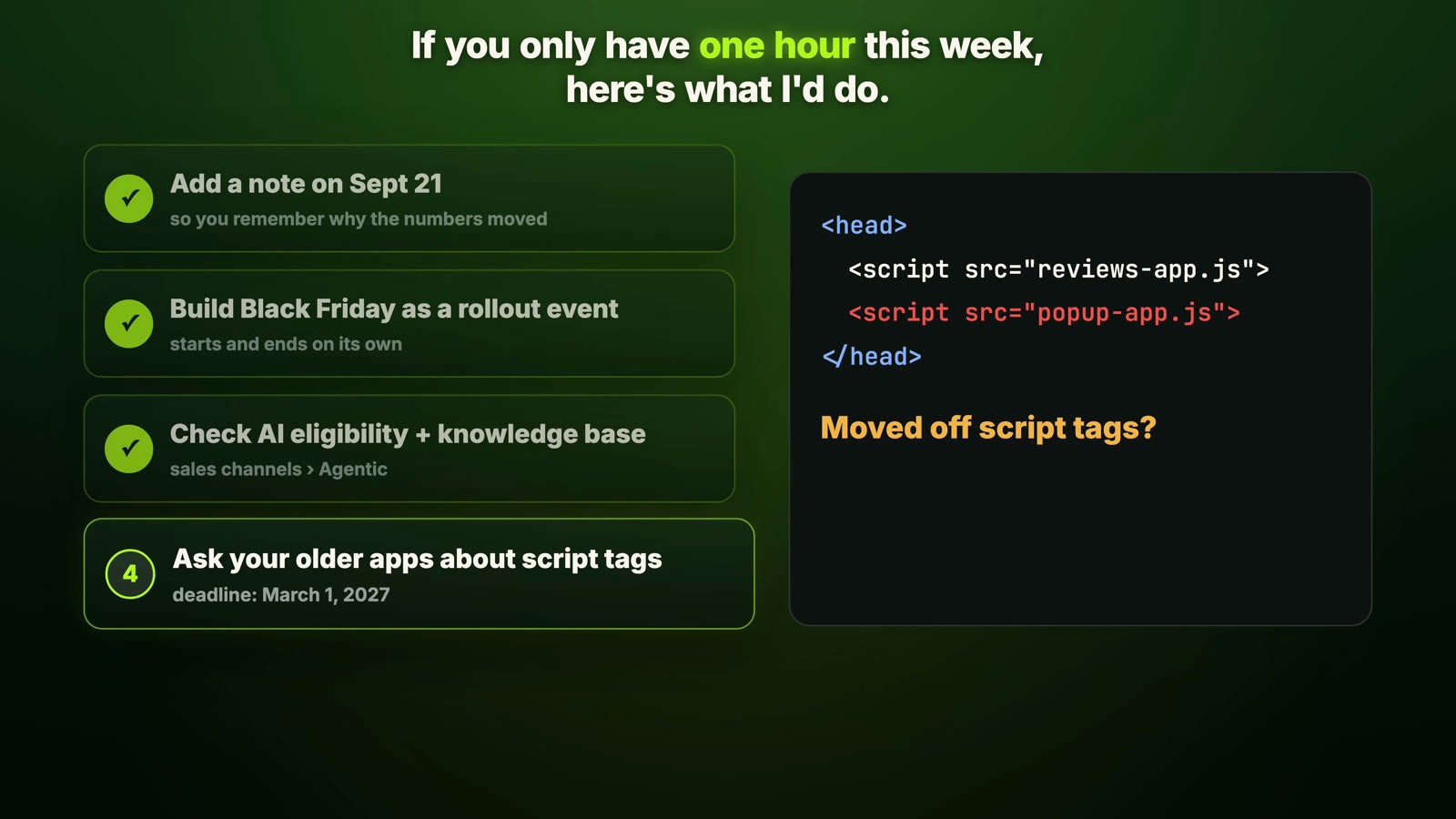
Add a note to your analytics on September 21, so you remember when the session change moved your numbers.
Build your Black Friday sale as a Rollout Event, so it starts and ends on its own.
Check if you're eligible to sell in AI chats (Sales channels › Agentic), and what the AI knows about your store.
Ask your older apps if they've moved off script tags.
FAQ
What is Shopify Editions Fall 2026?
It's Shopify's twice-yearly product release. The Fall '26 Edition lists 150+ updates across agentic commerce, Sidekick, the online store, payments, marketing, Shop and POS.
Why did my Shopify conversion rate change in late September 2026?
Between September 21 and 23, 2026, Shopify changed how sessions are counted: bot sessions are filtered out by default, sessions no longer end at midnight UTC, and some visits without a page view now count. Your orders and sales aren't affected. Use the numbers after the update as your new baseline.
Which Shopify plan do I need for Rollouts?
Rollouts are available on the Basic plan or higher. Experiments (A/B tests) need the Grow plan or higher, and rollouts don't work with vintage themes.
How do I sell my Shopify products in Google AI Mode and Gemini?
Your store must sell to customers in the US, Canada or Australia, have its products in Google Merchant Center, and have products eligible for Shopify Catalog. It's rolling out to eligible stores. Check your status in your admin under Sales channels › Agentic.
When do Shopify script tags stop working?
Apps can't create or update script tags since October 1, 2026, and Shopify stops loading existing script tags on March 1, 2027.
Is SimGym free?
SimGym is free to install, but it charges per simulation run, and it's still in AI Research Preview.
Watch the full breakdown
Watch the full video on YouTube for my take on all seven updates. If you'd like help setting up Rollouts or getting your store ready for Black Friday, work with me.
Which of these updates are you setting up first? Tell me in the comments on the video.