Shopify Apps & Tools Reviews
CRO Shopify
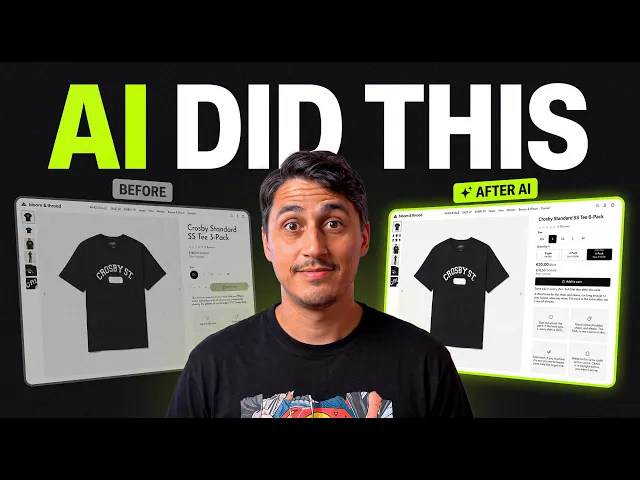
I Gave an AI Employee My Shopify Store. It Studied a $500M Brand for $50
Oct 13, 2026

Quick answer: I gave an AI agent called Gamut a limited staff account on my Shopify store and pointed it at True Classic's best-selling product page. For roughly $50 of free credits it audited their page, read 3,400 of their customer reviews, built 3-pack and 6-pack bundles without a bundle app, generated its own product photos, and added five new sections to my product page. It also refused one request — and that turned out to be my favorite part.
Key takeaways
An AI agent can do real Shopify work — browse, log in, duplicate themes and products, write copy and upload media — by using your computer the way a person would.
"Copy the structure, not the stack." The agent's best advice: borrow how a top brand's page is organized, not the apps they run.
Reviews are your best copywriter. 3,400 reviews turned into five clear objections, and every new section on my page answers one of them.
Bundles don't need an app. The agent linked three products with pack "pills" so customers switch between Single, 3-pack and 6-pack.
Set it up like a new hire. Separate computer profile, separate email, staff account with only the permissions it needs.
Why I used True Classic as the benchmark
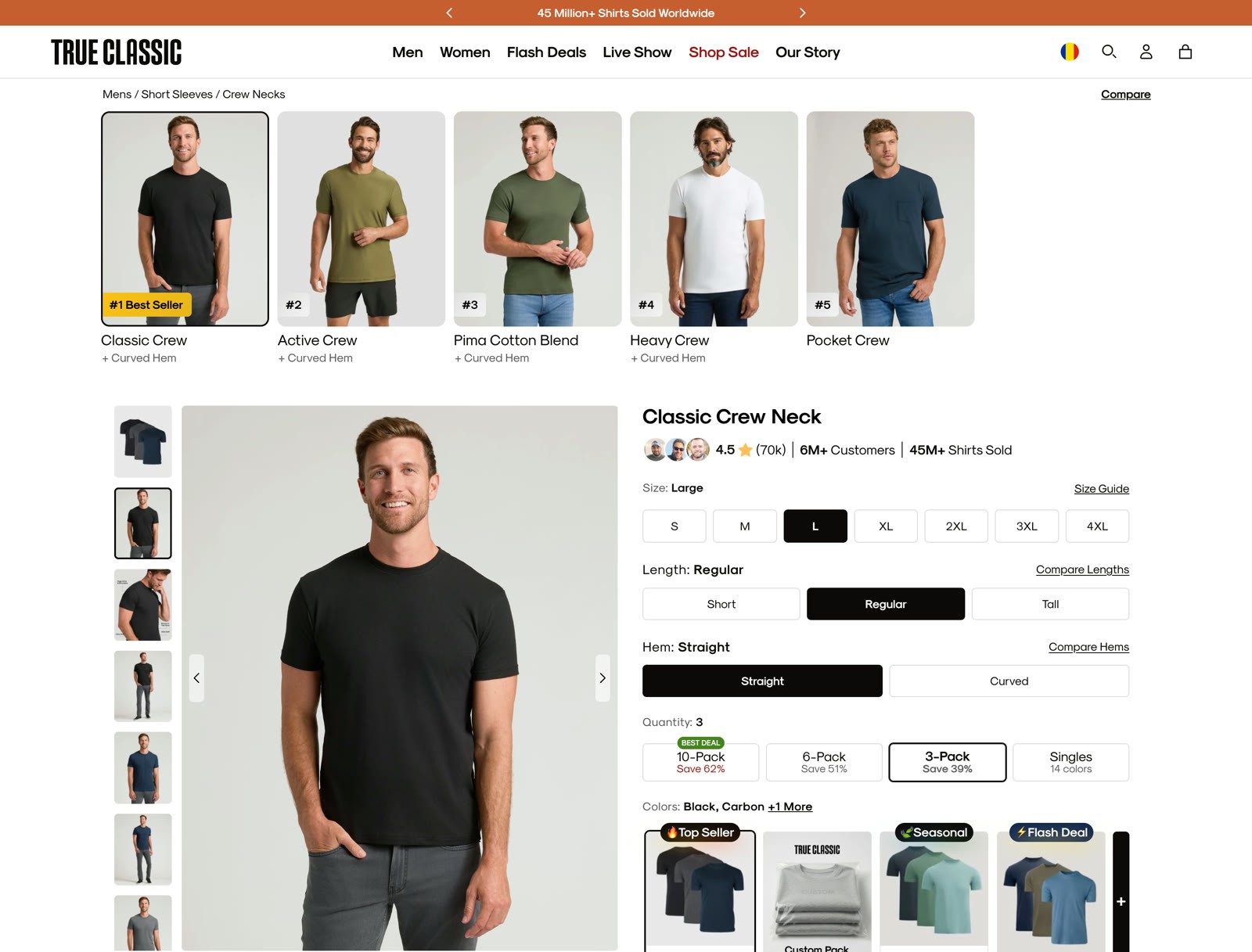
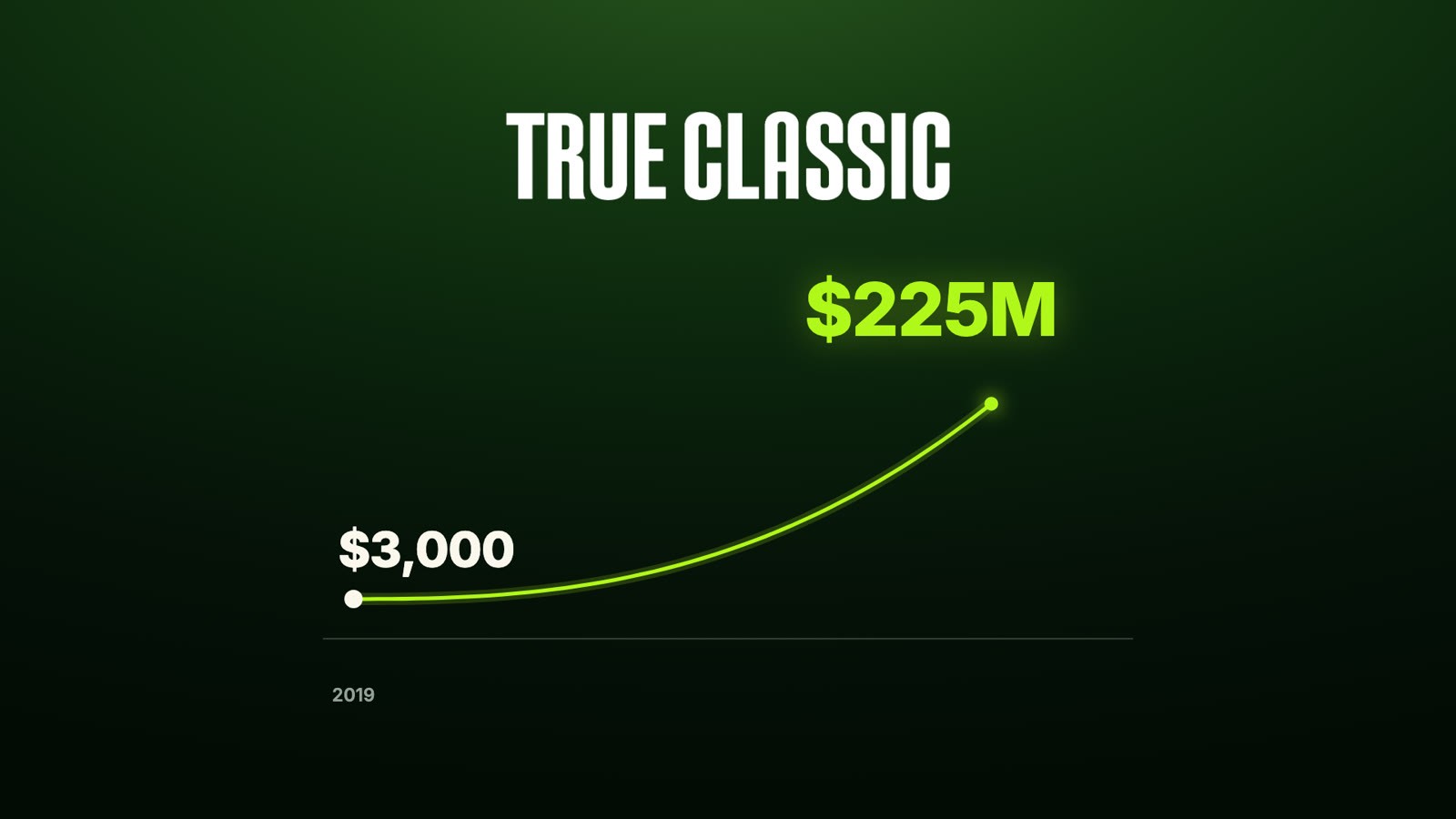
True Classic started in 2019 with $3,000 and, according to its CEO, passed $500 million in lifetime sales in under five years. Their crew-neck product page has around 70,000 reviews, a pack selector, and a stack of sections built to handle objections. If you sell apparel — or anything people buy in multiples — it's one of the best product pages to study.
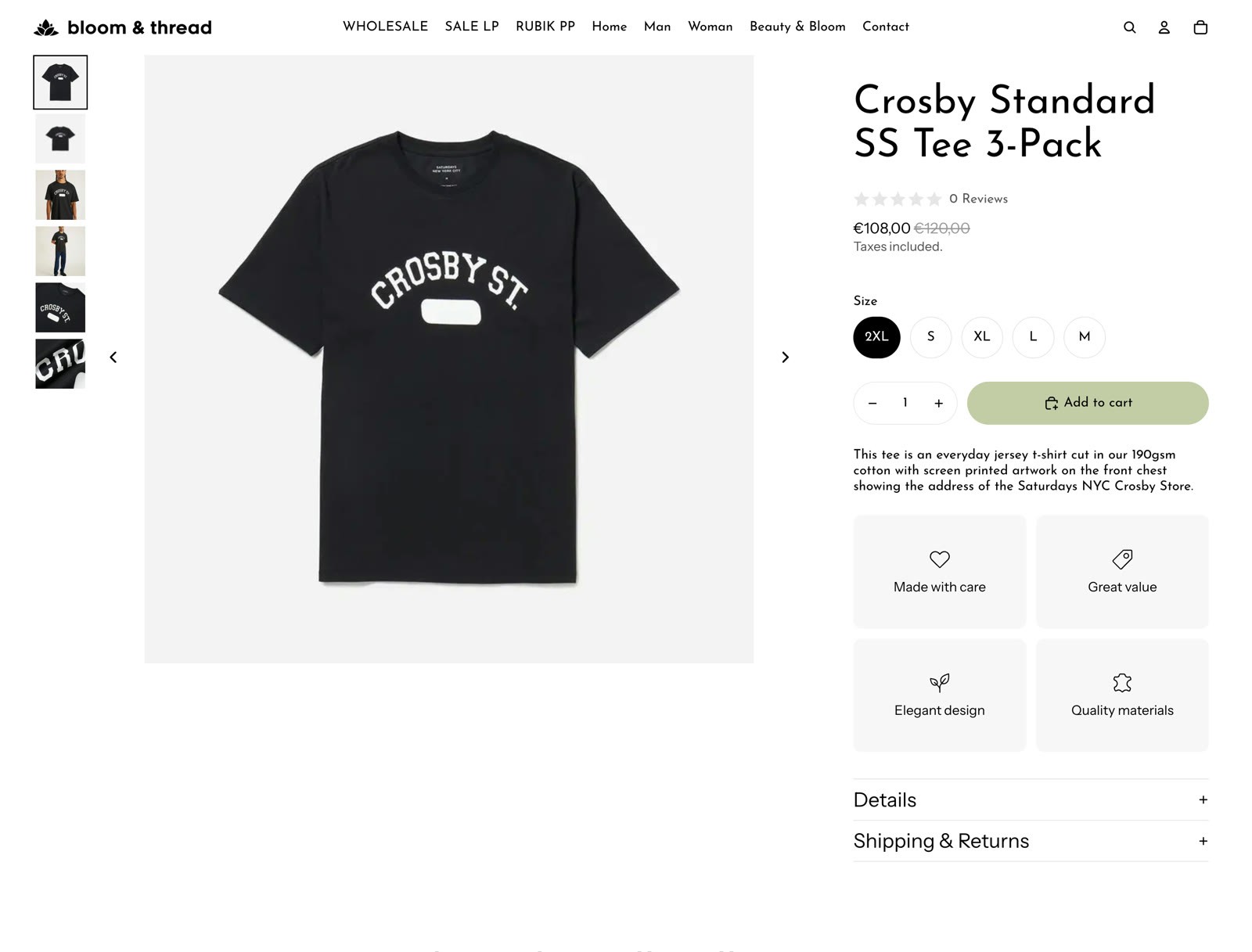
My page, on the other hand, was a bare test product: a title, a price, a size picker and four generic feature boxes.
The question for this test: can an AI agent learn what makes that $500M page work and apply it to my store — safely?
Step 1: Set the AI agent up like a new hire (safety first)
Before installing anything, I did three things:
A separate user profile on my computer — so the agent never touches my personal files or logged-in sessions.
Its own email address — so it never touches my inbox.
A Shopify staff account with only the permissions it needs — products and themes for this job, nothing more.
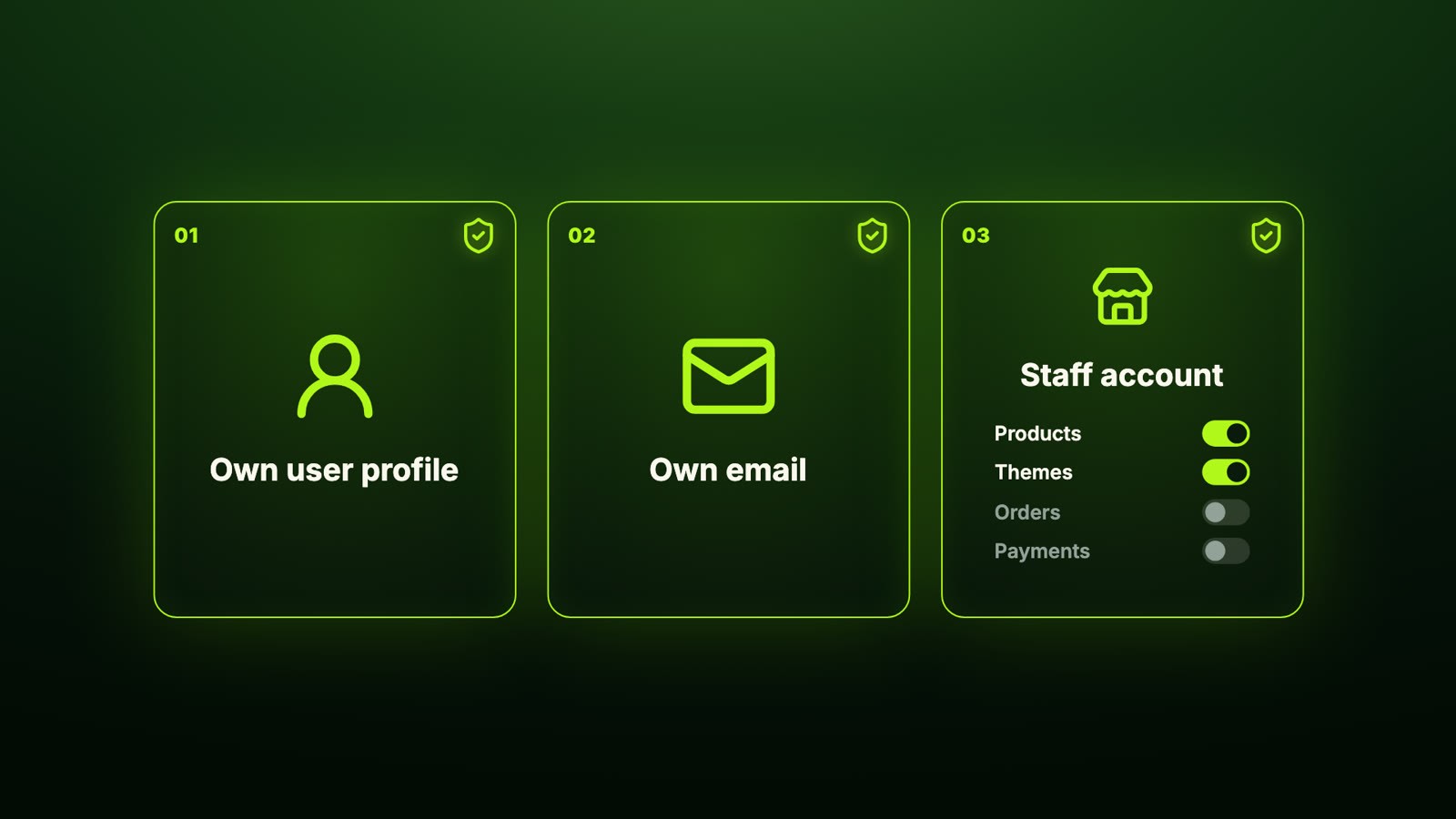
Think of it like a new hire. You wouldn't hand someone the keys to your whole business on day one — you give them a desk, an email and access to what they need. To be clear, I saw nothing that made me think Gamut did anything it shouldn't. But that's the rule I'd follow with any AI agent: test it in a safe space first, then give it access to your main accounts once you're comfortable.

Shopify tip: staff permissions are set in Settings → Users and permissions. Start with the minimum (for this job: Products, Themes, Files) and add more only when a task needs it. See Shopify's guide to staff permissions.
Step 2: Install Gamut and create a custom agent
Gamut is a platform for building AI agents that work like employees — each one has its own workspace, memory, skills and schedules, and runs inside an isolated container. There are pre-built agents for marketing, ops and more, but I built a custom one.
The setup:
Sign up and verify your phone number — that unlocked $100 in free credits for me.
Download the desktop app. Cloud agents work without it, but an agent that uses your browser and computer needs the app.
Pick a model, a browser (I used Chrome) and a container setup — I went with the recommended defaults.
Paste a prompt to create the agent. Mine is plain English, no code: a role, store-safety rules, and how to handle products, apps, images, code and testing. Copy the full prompt below.
The agent then asked for three things: my store admin URL, the product handle to work on, and the reference page (True Classic's product page). It also asked for macOS permissions — accessibility and screen recording — so it can see the screen and click like a person, plus access to Chrome.
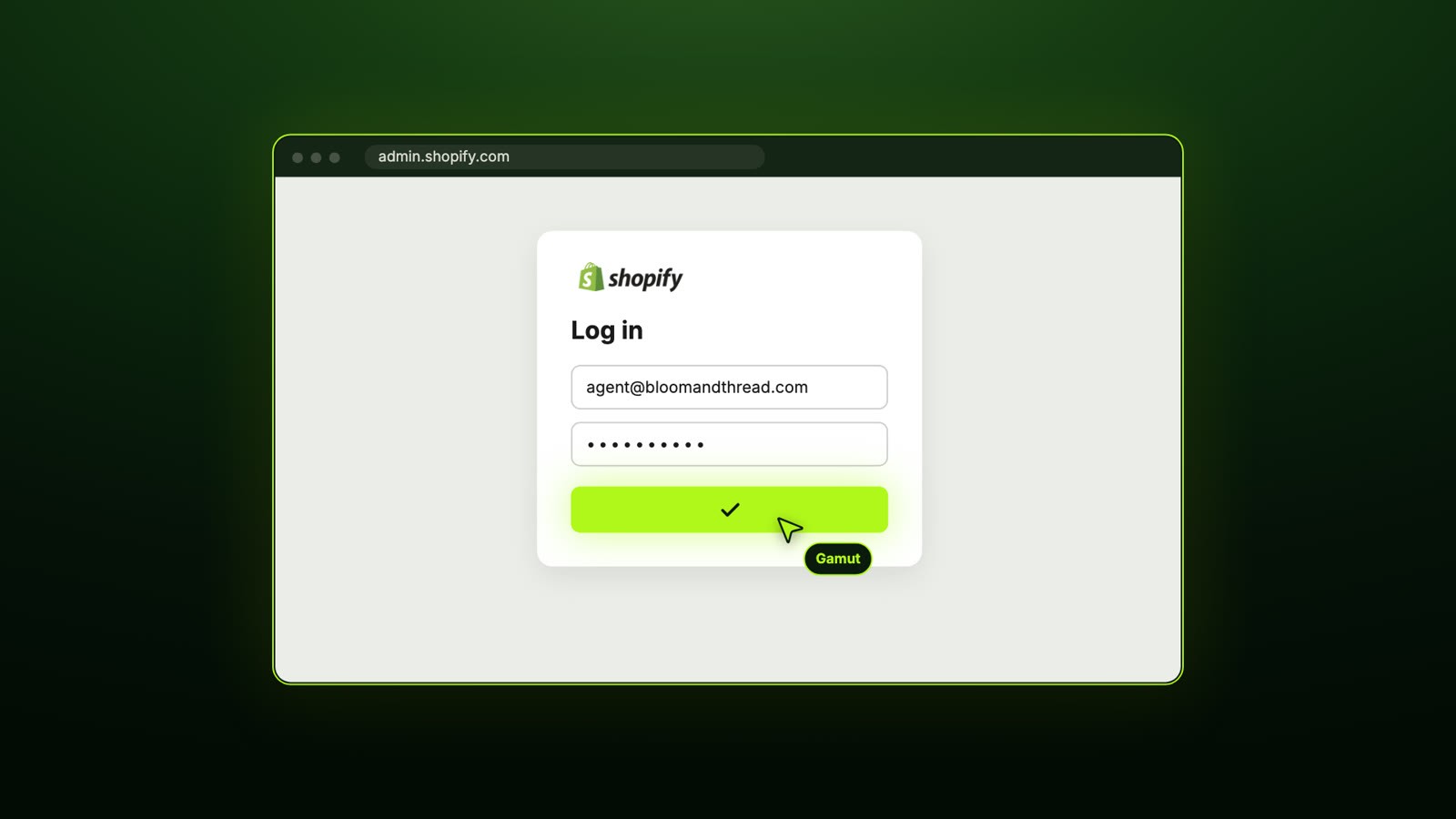
Agents can also run on triggers (a schedule, or an event like a specific email arriving in Gmail), connect to other apps, and use skills — useful once you move past one-off tasks.
Step 3: The AI audit of a $500M product page
I asked the agent to break down True Classic's page and recommend what to apply to mine. It opened the page, read the product details, switched to mobile view and scrolled — exactly what I'd do in a manual audit.
What it found:
Above the fold: the announcement bar leads with a concrete offer (free shipping over a threshold) — good. But on both desktop and mobile, the buy button isn't visible above the fold because a row of product images pushes it down. I checked; it's true.
Bundles and offers: showing dollar savings instead of a vague percentage works. Showing three prices at once — plus a fourth for the members' club — is confusing.
Images: the hero is the actual 6-pack lineup (good), but the first mobile image is a cropped torso, so the pack is easy to miss.
Social proof: one product with ~70,000 reviews, but the featured review was just "Great product" and five stars — a missed chance to lead with a detailed review.
The app stack: reviews (Okendo), a loyalty/insiders club, Rebuy, Klaviyo, Afterpay, Purple Dot, Intelligems and more.
Then came the line I'd frame and hang on the wall:
"Copy the structure, not the stack."
Don't install their apps because True Classic has them. Borrow the structure that actually creates value: a quantity selector with dollar savings, a per-shirt price, one review app, a delivery line, and a mobile sticky bar with size and price. Leave out the membership club, unapplied discount codes and extra SMS apps — for now.
Related: How to create high-converting Shopify product pages and 11 proven conversion rate strategies for Shopify.
Step 4: 3,400 reviews → 5 objections → new product copy
Next prompt: read as many of the reference product's reviews as possible and write new copy for my page. A few minutes later the agent had read 3,400 reviews — weighted toward the critical ones (the newest 1,000 one-star, 1,000 two-star and 600 three-star reviews, 600 of any rating, and the 200 most helpful one-star reviews).
The top 5 complaints:
Sizing is off (runs small / inconsistent)
Shrinks more than promised in the wash
White shirts go see-through
Not worth the price
Doesn't hold up over time

From that, it wrote a headline, benefits, fit and size notes, and objection-handling blocks. This is the part no human would realistically do — nobody is reading 3,000+ reviews to find patterns before writing a product description.
Why this matters: your competitors' 1- to 3-star reviews are a free list of the exact doubts your customers have. Answer them on the page before they're asked.
Step 5: Bundles on Shopify without a bundle app
I asked the agent to plan bundles for my product, inspired by True Classic but not copied. It came back with:
Single, 3-pack and 6-pack (it explicitly said don't copy their 10-pack or color presets)
Prices in euros, matching my store
Per-shirt price and "you save" amounts — 3-pack: Save €12, 6-pack: Best deal, save €48
Then the implementation plan: detect my theme (Horizon-based), duplicate the theme first, duplicate the product into pack variants, reuse existing theme sections where possible and create new section templates only where needed. No apps installed. No existing theme files edited. Mobile-first, but working on desktop.
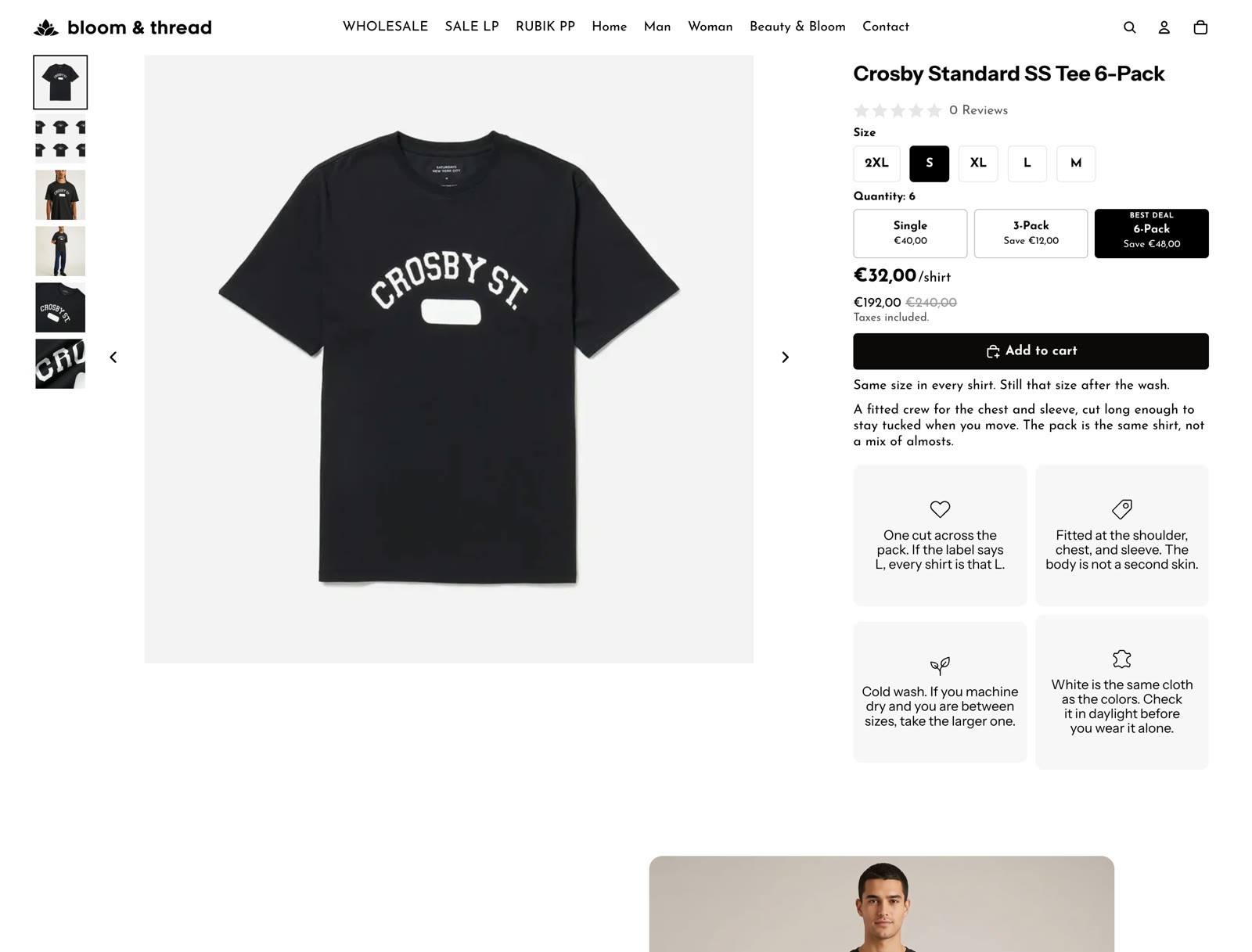
About seven minutes in, the theme and products were duplicated (as unlisted copies). Shortly after, the result: one product listing that's actually three products tied together, with pack "pills" at the top that switch between them — the same behavior as True Classic, with no bundle app and no hand-written code.

One honest caveat: the Single product didn't get the new layout. That's because my prompt told the agent not to touch anything already published. Loosen that rule and it updates the original too.
Step 6: AI-generated product images, uploaded to Shopify
I wasn't sure the agent could create images, so I asked it for a lifestyle shot of my product. It produced one that was good enough to use — and you can comment directly on an image (e.g., "move the logo") to get revisions.
Then I asked it to recreate True Classic's lower page sections using my product in context-appropriate images. It generated lifestyle, fit and fabric close-up shots based on my existing product photos and uploaded them to the Shopify media library itself. I didn't touch an image editor.

Related: AI product photography: can it replace traditional photoshoots?
Step 7: Five new sections built from the reviews
Using voice mode, I asked the agent to compare True Classic's sections with mine and recreate what made sense. Below the buy box, my page gained:
A hero section — "Same shirt. Same size. Still that size after the wash." — built directly on the two biggest complaints (sizing and shrinkage).
Fit & features and Fabric tabs — with how-to-measure advice and the AI-generated detail shots.
"The pack" and "If a shirt fails" tabs — not on the original page at all; the agent added them because reviewers kept asking about pack contents and defects. (Check anything like this against your real policies before publishing.)
Compare packs — price, per-shirt cost and savings for each pack, side by side. True Classic compares styles; the agent adapted the idea to packs.
Why this pack — fit, comfort and value, each framed as problem → solution.
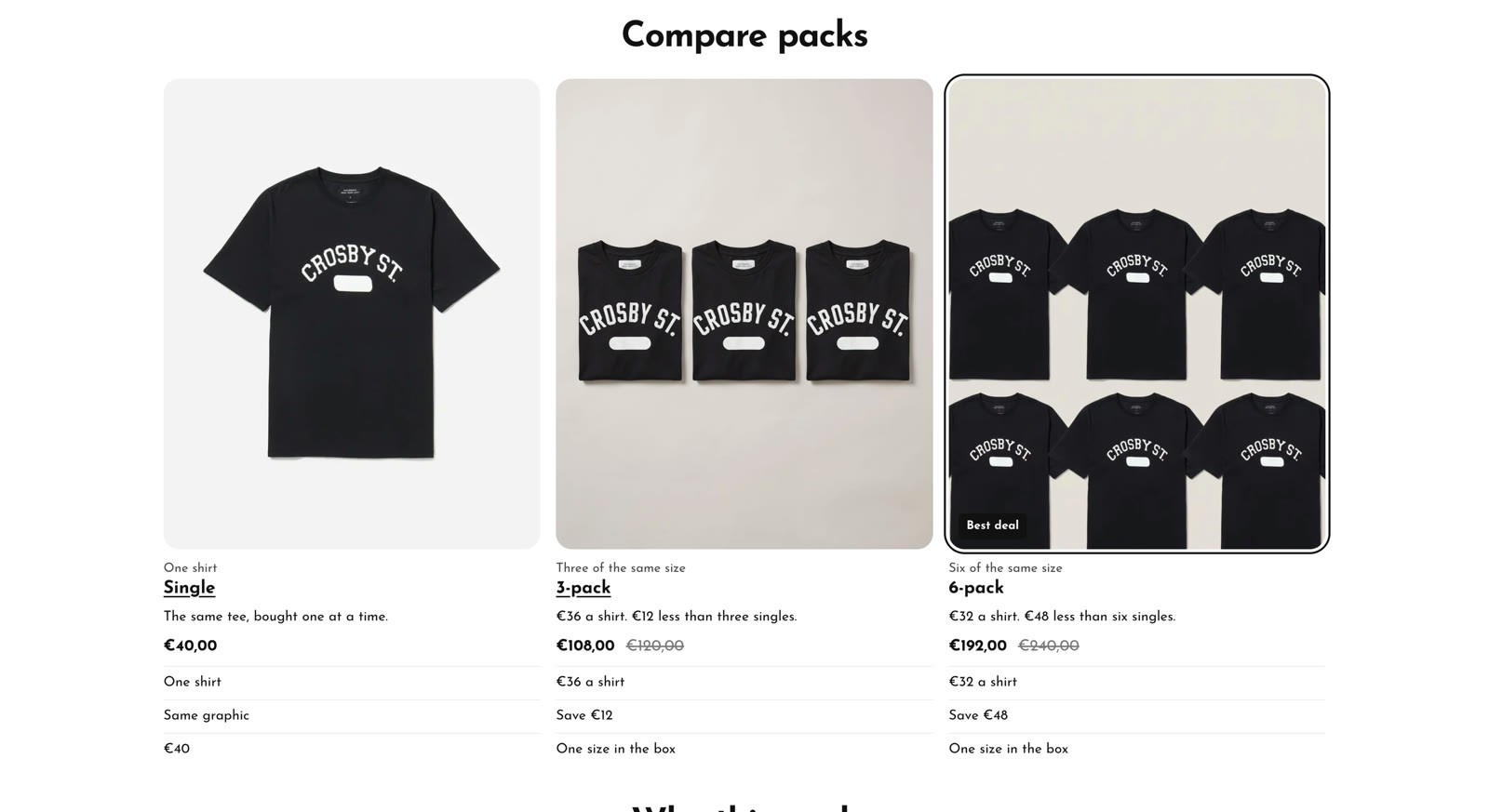
Finally, I asked it to fix the buy box. It now follows the same order as True Classic's: reviews at the top, then size, then pack size, the price with per-shirt explanation, and Add to Cart above the fold.
Related: Optimizing Shopify product pages with product tabs
The one thing it refused to do
Just to see where the limits were, I asked the agent to copy 20–100 reviews from the True Classic page, randomize them to a 4.7–4.8 average and import them into my review app. It flagged that this might not be legal. I tried to talk it into it "just as a demo." It still said no.
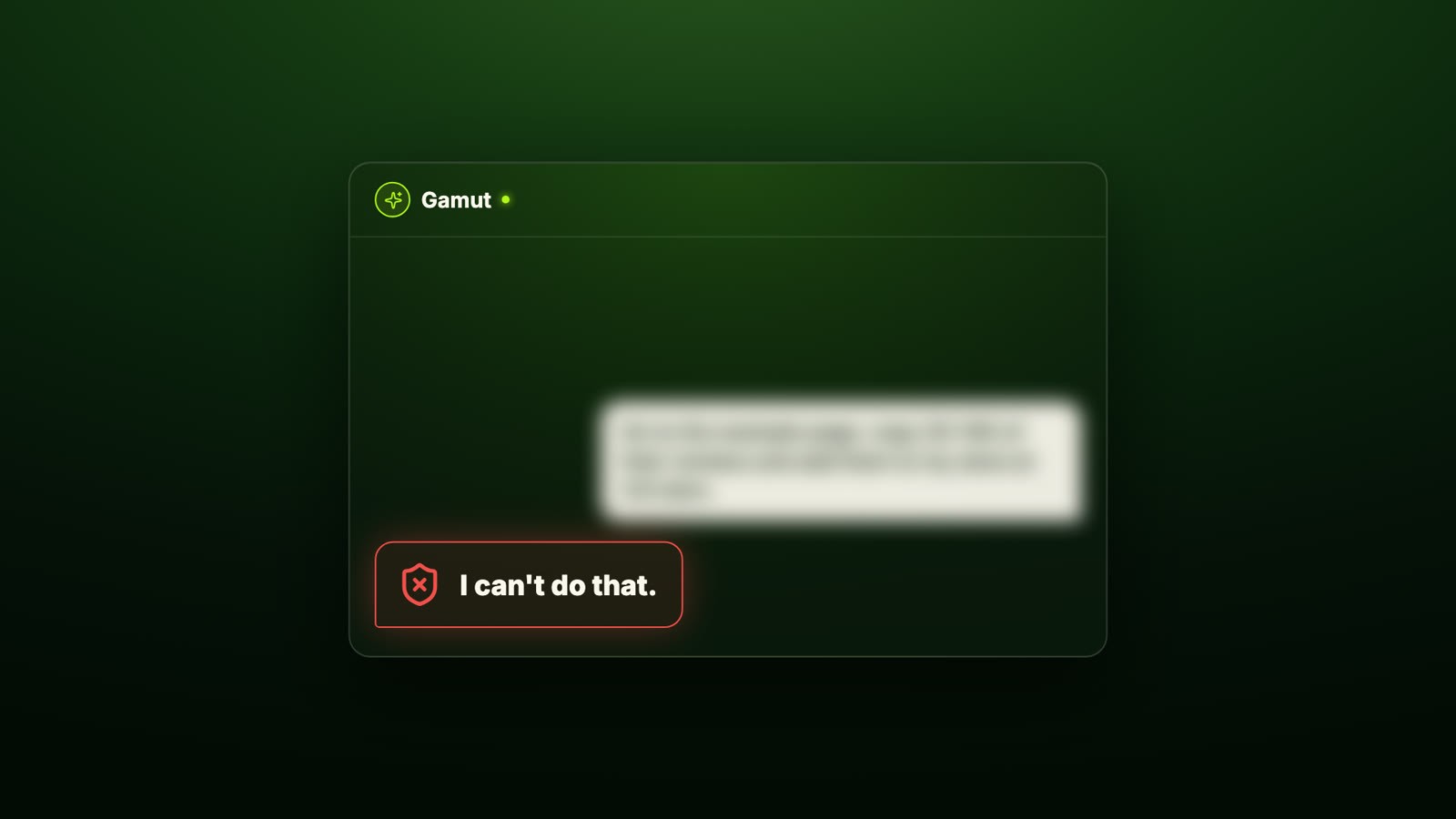
That's exactly the behavior you want from something with access to your store. Fake or copied reviews can get you in trouble with customers, platforms and regulators — an agent that won't cut that corner is worth more than one that will.
What it cost (and what it would cost with a person)
Credits used: about $54, all covered by the $100 of free credits I got for verifying my phone number.
My hands-on time: writing prompts and reviewing results — the agent did the browsing, reading, building and uploading.
Compare that with finding, hiring and training a freelancer to audit a competitor, read 3,000+ reviews, write copy, build bundles in your theme and produce product photos. That's days of work and a lot of explaining.
Is the result perfect? No. The design needed a second pass, and AI-written sections should always be checked — especially anything about returns, defects or guarantees. But as a first draft built in minutes, it's further along than most product pages I review.
Tip: keep your computer awake while the agent works. If it sleeps, the agent stops. On Mac I used the free app Amphetamine; on Windows, use an equivalent keep-awake app.
The prompt I used
This is the full prompt I give the agent. Copy it, paste it into Gamut when you create your agent, then give it your store admin URL, the product to work on and a reference page. The safety rules are the important part: the agent works only in a duplicated theme, only creates unlisted products, never deletes anything, and never touches orders, customers, payments or checkout.
FAQ
Can an AI agent edit my Shopify store without apps or code?
Yes. An agent like Gamut works through your browser like a person would — logging into the admin, duplicating themes and products, editing templates and uploading media. In my test it built bundles and five new sections without installing a single app.
Is it safe to give an AI agent access to Shopify?
Treat it like a new employee: give it a separate computer profile and email, and a staff account with only the permissions the task needs. Test on a duplicated theme and unlisted products before letting it touch anything live.
How much does it cost to use Gamut?
My whole test used about $54 in credits, covered by the $100 in free credits I received after verifying my phone number. Check Gamut for current pricing.
Can AI create bundles on Shopify without a bundle app?
Yes — the agent created separate pack products (Single, 3-pack, 6-pack) and linked them with switcher "pills" on the product page, so each pack has its own URL and price.
Should I copy a successful brand's product page?
Copy the structure, not the stack or the content. Learn how they order information, handle objections and present offers — then build it with your own products, words and images.
Watch the full test
The full 29-minute walkthrough — including every prompt and the agent working live — is in the video above. Watch it on YouTube, and if you want a second pair of eyes on your own product page, work with me.
Would you give an AI agent a staff account on your store? Tell me in the comments on the video.