
Shopify Apps & Tools Reviews
Best Shopify Preorder Apps 2026 (Top 5 Compared)

Quick answer: If you're just starting out in one country, REZ or Essent will get you live for under $5 a month. Globo is a solid budget pick for simple needs, and Timesact is worth a look if you want unlimited preorders at a flat price on Basic Shopify. If your store is growing, my pick is STOQ. It handles deposits, single-variant preorders, Shopify Markets and Klaviyo flows, and it's the one app here you won't need to replace later.
Disclosure: the video this post is based on is sponsored by STOQ, and STOQ links in this post are affiliate links. I'll still show you where every app falls short, STOQ included.
Key takeaways
"Continue selling when out of stock" isn't a preorder system. You get no ship date, no deposit, and you can oversell stock you won't have for weeks.
Judge every app on the same six things: payment flexibility, variant-level control, customer messaging, Shopify Markets, integrations and pricing as you grow.
Deposits sell expensive products. Asking $60 now for a $300 jacket is a much easier yes than $300 up front.
The star rating won't pick for you. All five apps are rated 4.9 or 5 stars, so the differences are in plans, limits and integrations.
Cheap apps can get expensive fast when the price grows with every preorder. Check what you'd pay at 100, 400 and unlimited preorders a month.
Watch the video
Prefer to watch? The 9-minute video covers all five apps and the complete STOQ setup.
Why a sold-out button costs you sales
I've been building Shopify stores for over ten years. When a best seller sells out, most stores just show a grey "Sold out" button. The ad keeps running, the traffic keeps landing, and the customer leaves.
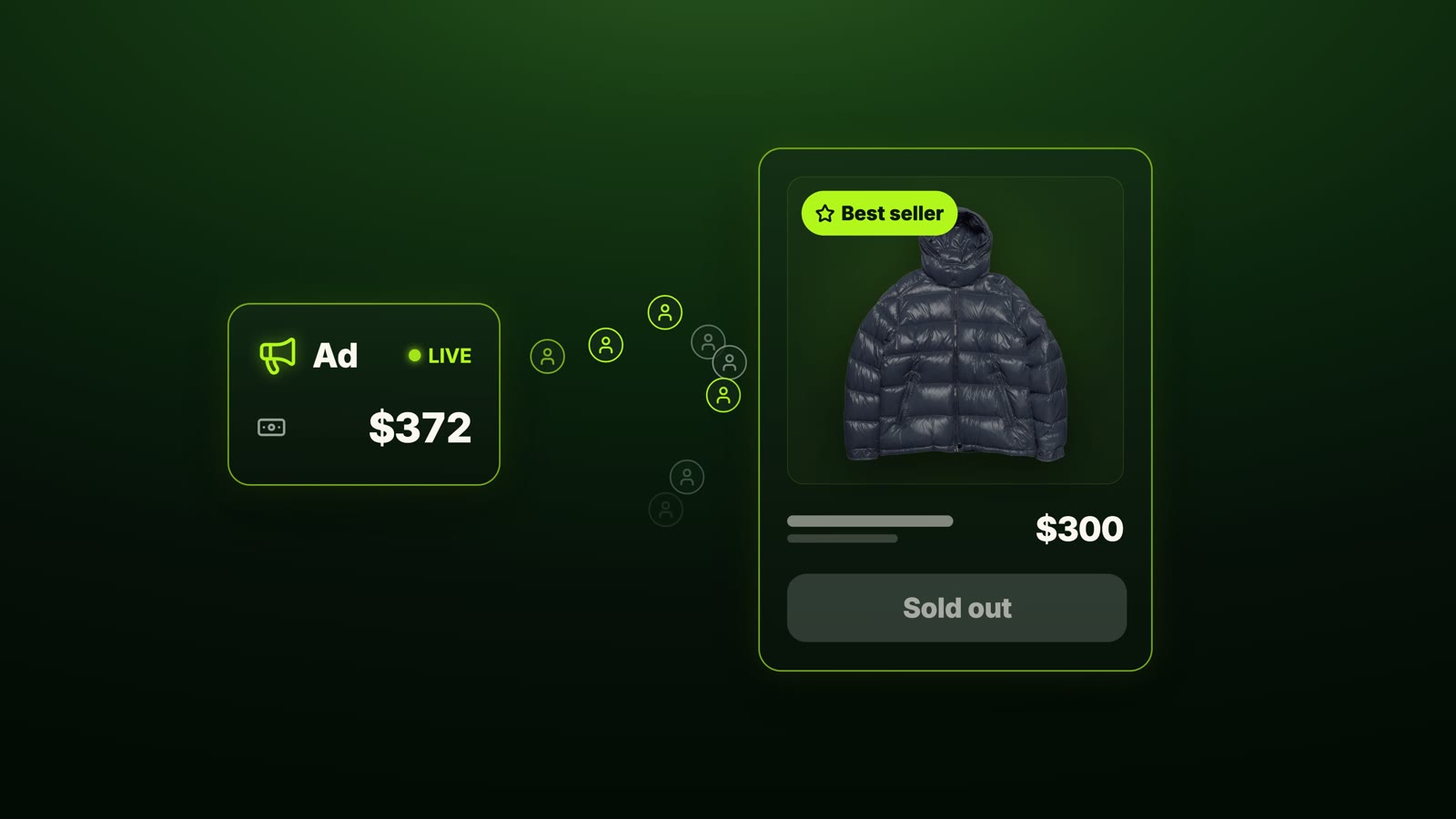
The other common fix is ticking Shopify's "Continue selling when out of stock" box (Shopify explains it in Selling out of stock products). I wouldn't rely on it. The customer gets no ship date, you can't take a deposit, and you can oversell a product you won't have for weeks.
A preorder app fixes that: the customer sees a preorder button, a ship date, and the option to pay part now and the rest later, while you get the money today for stock that arrives next month. But the app you pick decides how many of those sales you actually keep.
Related: 7 common Shopify mistakes to avoid
The 6 things that matter in a preorder app

I judged all five apps on the same six things:
1. Payment flexibility
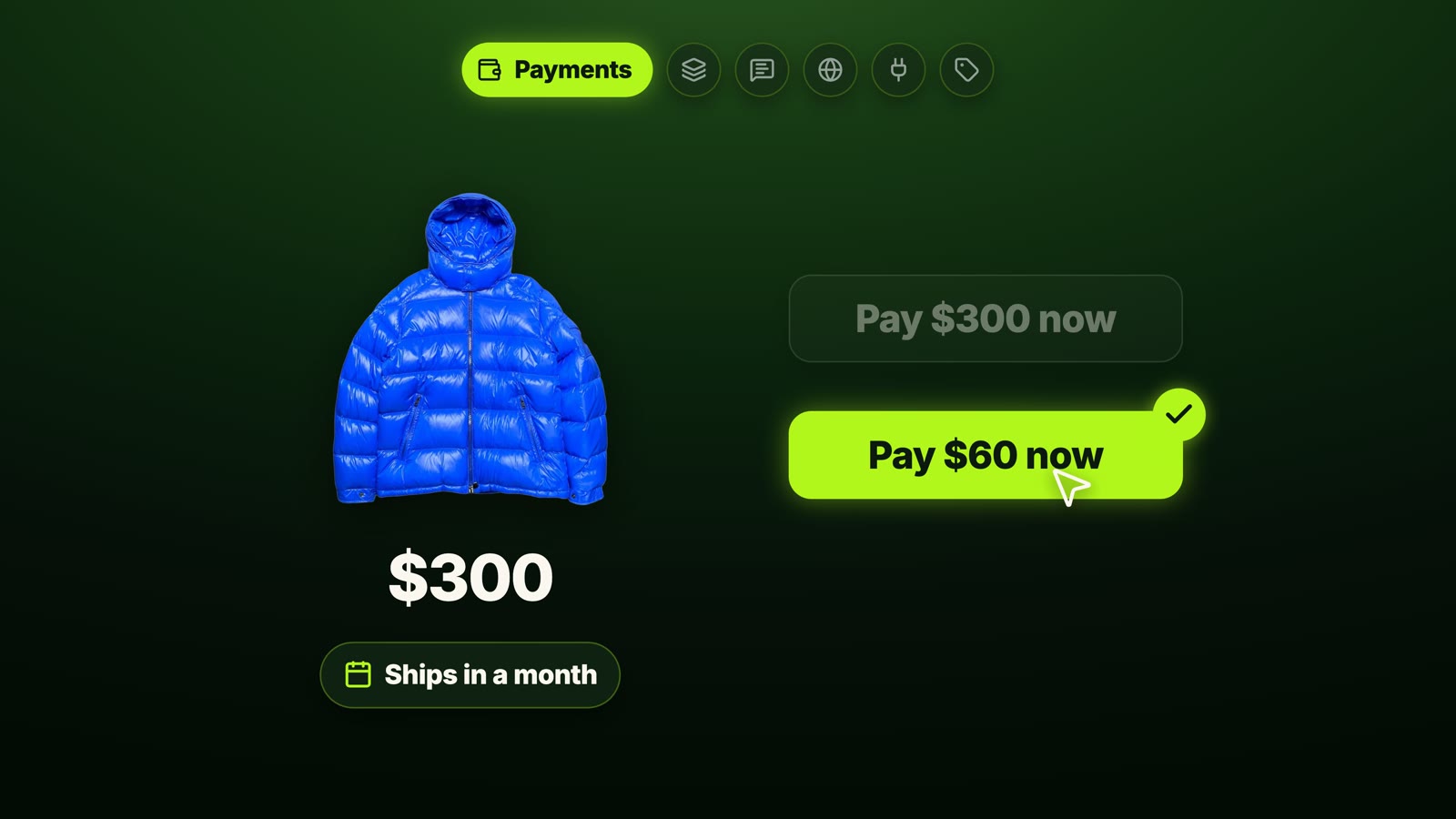
Can it charge the full price, take a deposit, or let the customer pay later? If you sell a $300 jacket that ships in a month, asking for $60 now is a much easier yes than $300. On higher-priced products, this directly changes how many people buy.
2. Variant-level control
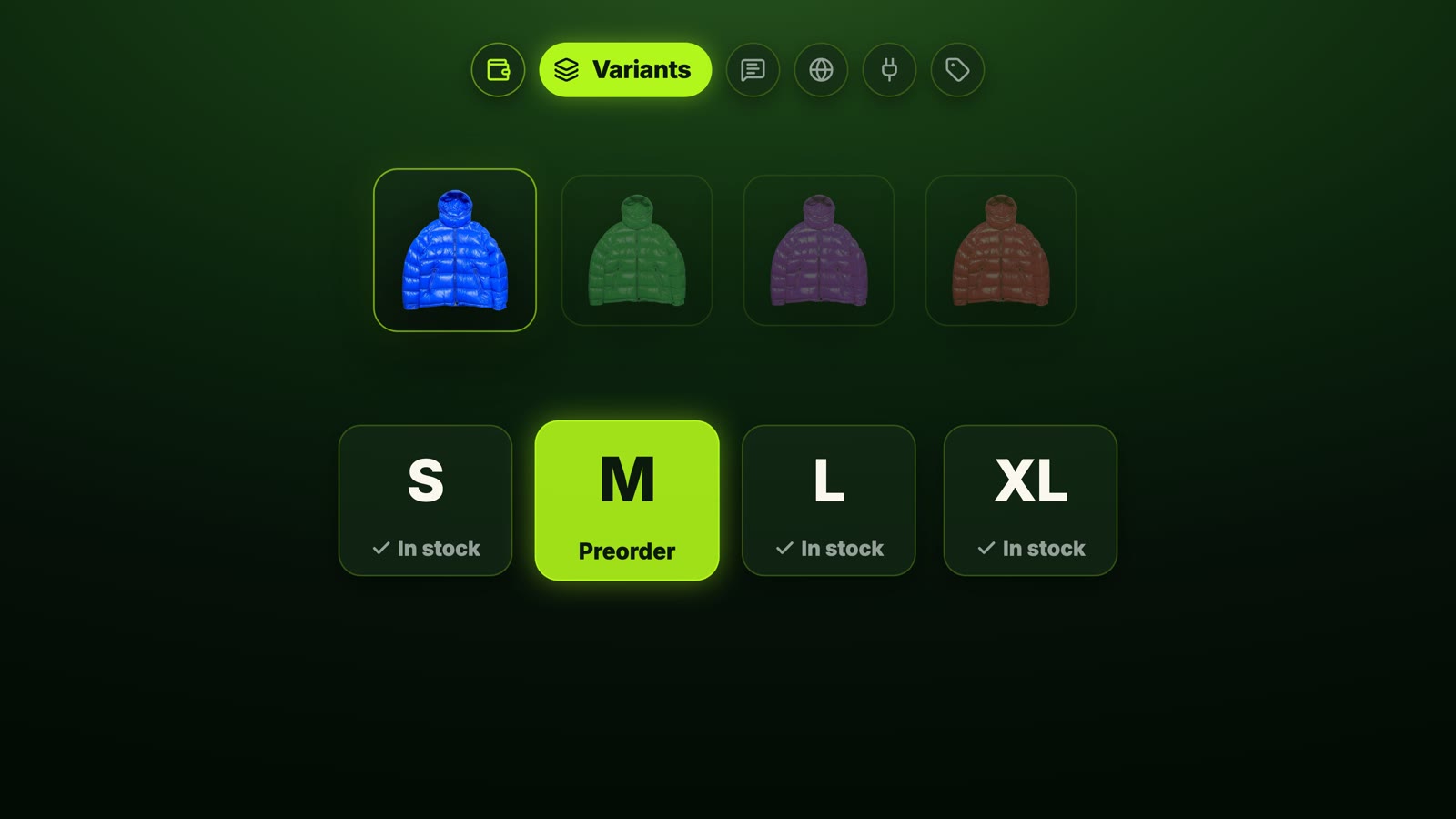
Can you put only the blue jacket in medium on preorder while every other size keeps selling normally? And when medium comes back, does the alert only go to people who asked for medium? This is where a lot of apps break, and you end up overselling stock you don't have.
3. Customization and customer messaging
What does the customer see on the product page, and what can you change? And when do they get notified: at checkout, when it ships, when it's back?
4. Shopify Markets
If you sell in more than one country, this matters more than it sounds. If you restock in Australia, your US customers shouldn't get a "back in stock" email for a product they can't buy. Get it wrong and you send people to a checkout that doesn't work for them.

5. Integrations
Your preorder app shouldn't live on an island. Does it connect cleanly to Klaviyo for email, or to your bundle app? Those tools have their own flows, and the preorder data needs to reach them.

6. Pricing as you grow
Not just the starting price: what do you pay at 100 preorders a month, at 400, and with no limit? Some apps look cheap and get expensive fast, because the price grows with every preorder you take.

The top 5 preorder apps on the Shopify App Store
If you search "preorder" on the Shopify App Store, the five apps I'm comparing all come up near the top: STOQ, REZ, Essent, Timesact and Globo. The first row is ads; in the organic list, STOQ sits at number one.

All five are rated 4.9 or 5 stars, so the stars won't tell you which one to pick. I'll start with the cheaper options and finish with STOQ, which I set up from start to finish.
All ratings, review counts and prices below are what each listing showed in October 2026; check the listing for current numbers.
REZ: a good, cheap start
REZ Preorder, Back In Stock is for stores that are just starting out and want something simple. It's rated 5.0 from more than 1,600 reviews, setup is quick, and the learning curve is low.
Payments are good: deposits, partial and split payments, plus reminders.
Pricing: a free plan for 20 preorders, then $4.99/month for 100. The top plan is $28.99 for 700, and there's no unlimited plan.
The issue: integrations. The only ones on the listing are Shopify Checkout and the Shopify admin: no email apps, no review apps. The listing also doesn't name Shopify Markets as a feature.

Verdict: a good, cheap start. If your store is more complex, check the other options.
Essent: the most generous free plan
Essent Preorder Back in Stock is for budget-conscious stores testing preorders. It's rated 5.0 from over 1,300 reviews and has the most generous free plan in this list: 25 preorders a month, with full and partial payments and variant-level preorders included.
Paid plans start at $4.95/month for 100 preorders.
Shopify Markets only starts on the $8.95 plan, so if you sell in more than one country, that's your real starting price.
Integrations cover Shopify Flow and Omnisend.
Verdict: the low price makes it easy to start. But as your preorders get more complex (more markets, more flows, more volume), it can start to feel limiting.
Timesact: two ways to pay
Preorder Now Presale Timesact is rated 5.0 from over 2,000 reviews.
A free plan for 20 preorders a month.
Flex plans start at $5/month, then you pay for each preorder above your limit.
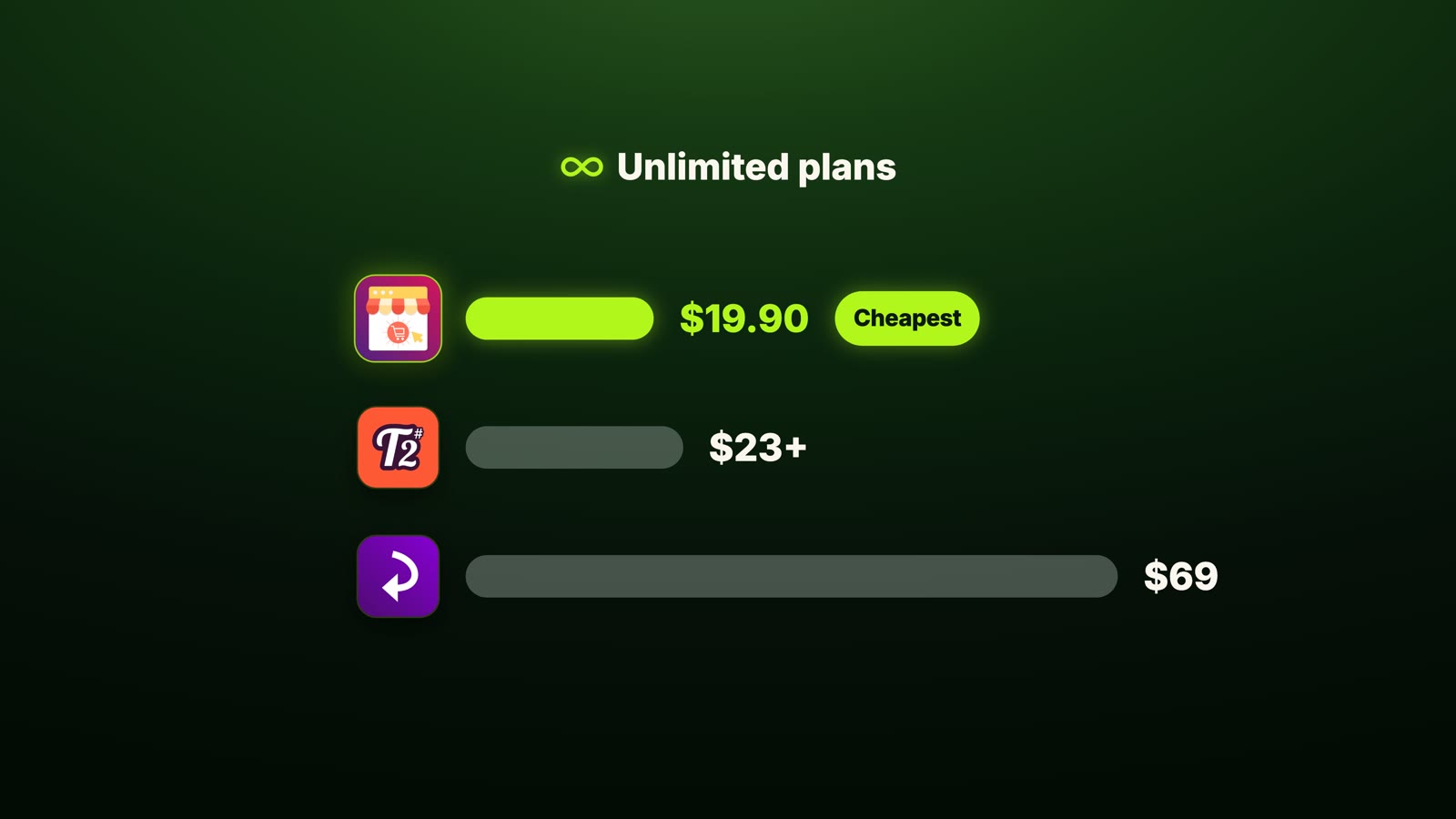
A fixed plan with unlimited preorders, priced by your Shopify plan: $23/month on Basic, up to $117 on Plus.
It covers deposits and partial payments, connects to Klaviyo, and the PRO Flex plan adds Shopify Markets.
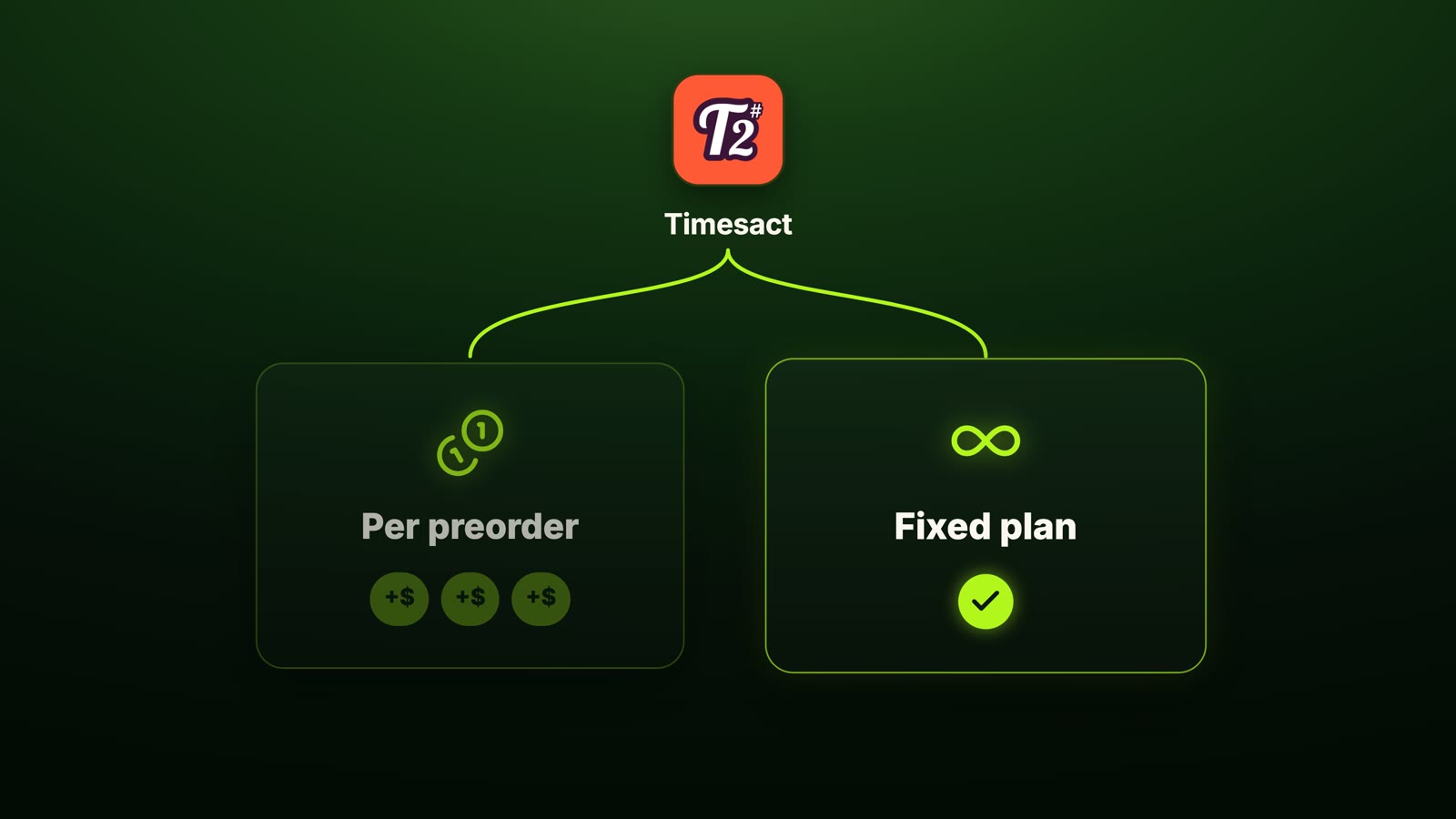
Verdict: pay per preorder while your volume is small, or switch to the fixed plan and stop counting.
Globo: the cheapest unlimited plan
PreOrder Globo | Back in Stock is rated 4.9 from more than 1,900 reviews.
Paid plans start at $9.90/month with partial payments and Shopify Markets.
A long list of email integrations, including Klaviyo and Mailchimp.
PRO is $19.90 for unlimited preorders, the cheapest unlimited plan in this comparison.
Where it's thinner is depth: the listing doesn't mention variant-level control or preorder analytics and reporting, and restock emails cap at 5,000 on PRO.
Verdict: Globo covers the common preorder essentials well at a low price, which makes it a good fit for smaller stores with simple preorder needs.
STOQ: set up and tested against all six criteria
STOQ is rated 5.0 from more than 3,800 reviews, the most of any app in this comparison. Setup takes a few minutes: you install it, pick your products, and the preorder button is live. Here's how it handles the six tests.
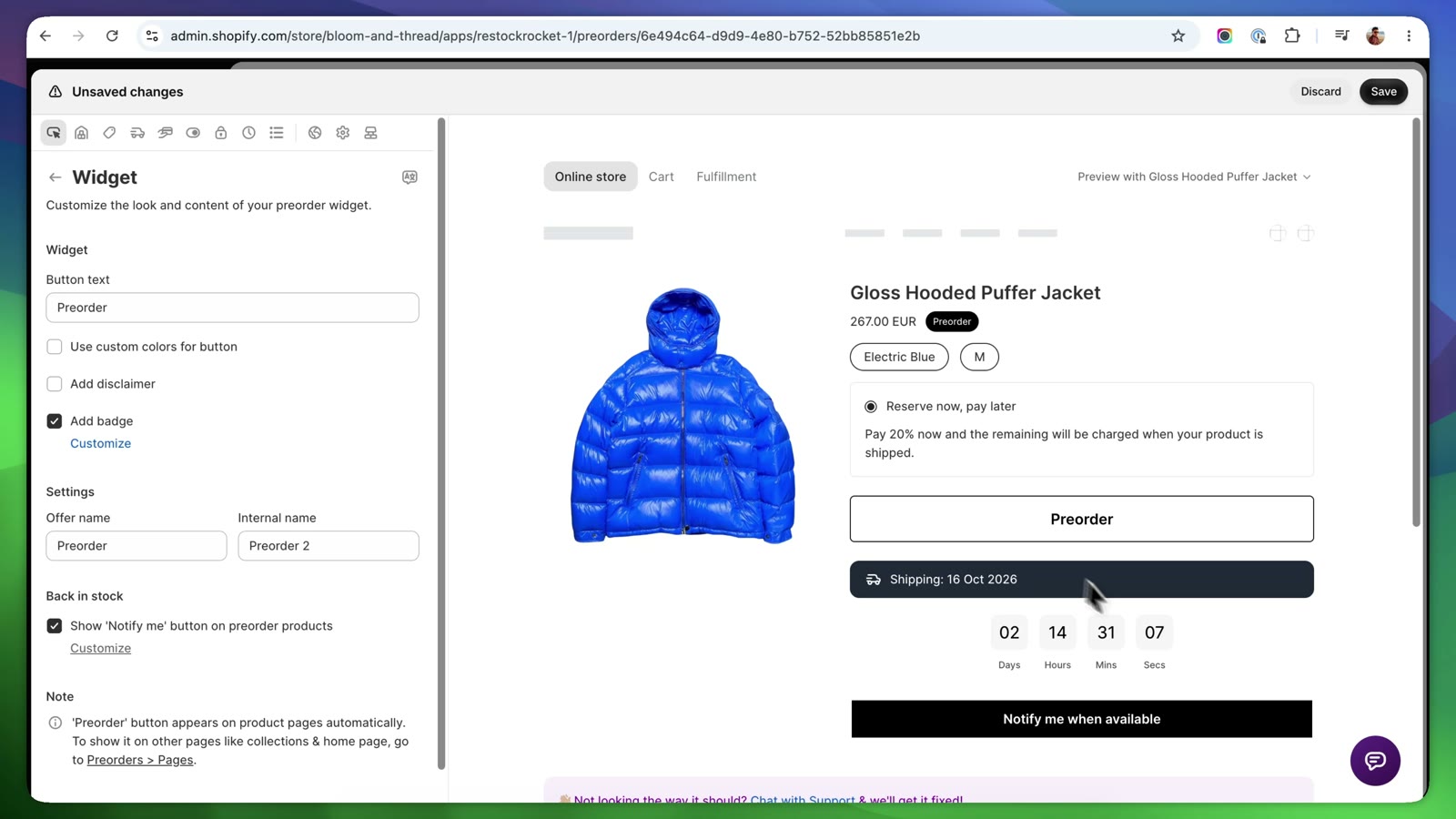
Payments: charge the full price, take a deposit, take a partial payment, or charge later when the product ships. STOQ also sends payment reminders for the balance. On that $300 jacket, I set a 20% deposit now and charge the rest when it ships.
Variant control: I picked only the blue jacket in medium; every other size keeps selling normally. You can add an availability date and an order limit, so you never sell more than you'll receive, and back-in-stock alerts only go to people waiting for that variant.
Customer messaging: change the button text; add a badge, a banner or a countdown timer; and show the ship date right on the product page. It supports multiple languages, and you choose when customers hear from you: when they order, when it ships, when it's back in stock.
Shopify Markets: limit the preorder, or the restock alert, to the market that's actually restocking, so US customers don't get an email about stock that only landed in Australia. It works with multiple locations too.
Integrations: Klaviyo, Mailchimp, Omnisend, Shopify Flow and Shopify POS. A preorder or restock can trigger your own Klaviyo flow instead of a separate email from the app.
Analytics: demand, inventory and performance, including which variants people are waiting for before you place your next order with your supplier.
Pricing: a free plan with 10 preorders, Lite at $10/month for 100, Pro at $29 for 400, and Unlimited at $69. No transaction fees on any paid plan. Support is 24/7 live, even on the free plan.
The downside: at $10, STOQ's starting price is higher than REZ or Essent, and past 100 preorders on Lite, each extra preorder costs $0.25.
The 5 apps compared side by side
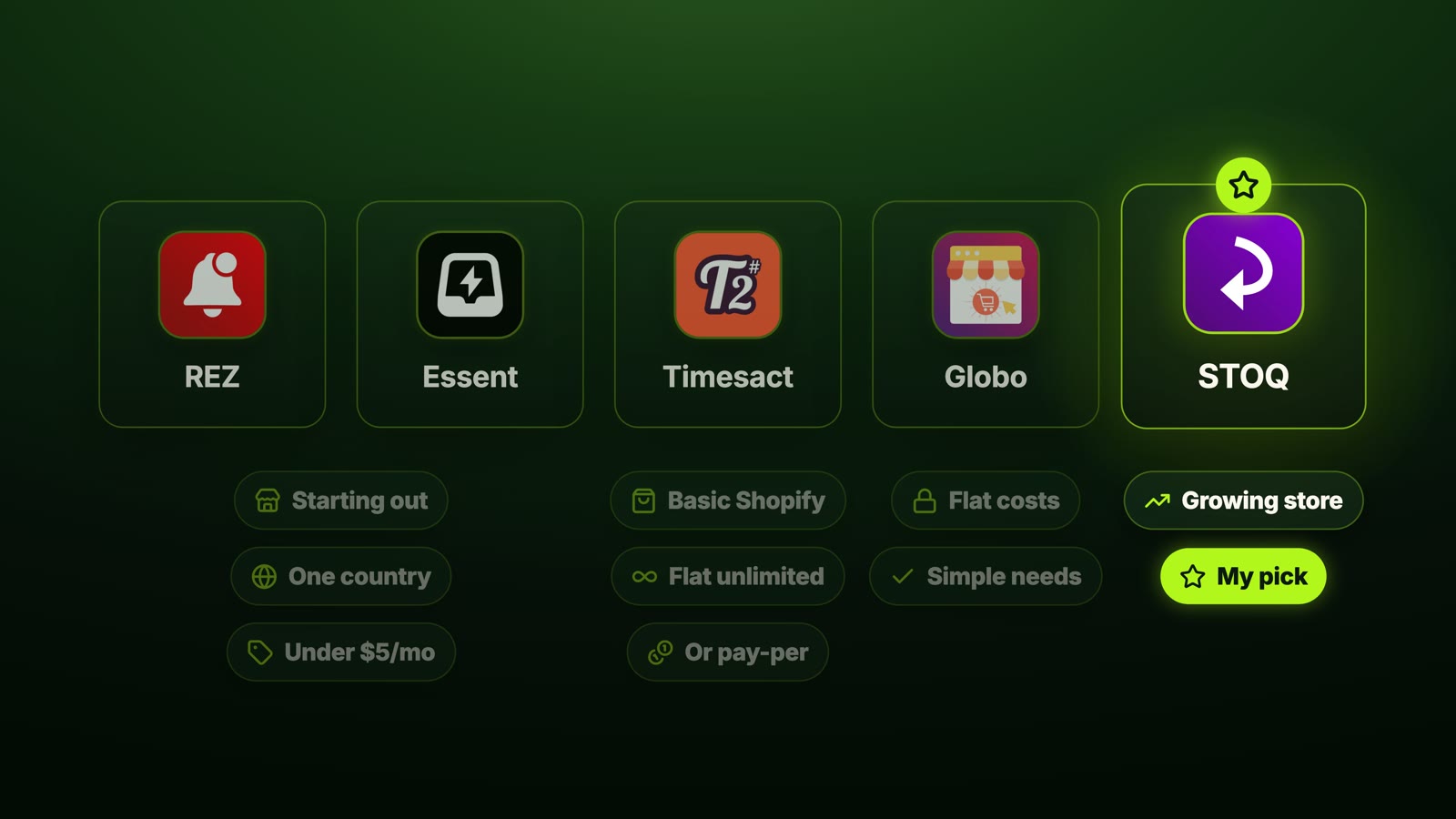
Just starting out in one country, under $5/month: REZ or Essent.
Flat costs and simple needs: Globo.
Basic Shopify with unlimited preorders at a flat price, or pay per preorder while you're small: Timesact.
A growing store (more markets, email flows, retail, higher-priced products on deposits): STOQ.
My pick for a growing store is STOQ. When you add a second market, switch on an email flow, open a retail store, or start selling a $300 product on a deposit, it already handles it.
Yes, it costs a few dollars more at the start than the budget apps. But moving all your preorders to a new app in the middle of your busiest season costs a lot more than that.

Related: 11 proven strategies to optimize conversion rate for Shopify · How to create high-converting Shopify product pages
How to try it before you pay
You can start on STOQ's free plan, set up a deposit preorder on one product, and see how it works on your own store before you pay anything.
FAQ
What is the best preorder app for Shopify in 2026?
It depends on your store. REZ and Essent are the cheapest way to start in one country, Globo has the cheapest unlimited plan, Timesact suits stores that want a flat price on Basic Shopify, and STOQ is my pick for growing stores that need deposits, variant-level control, Shopify Markets and Klaviyo flows.
Can I take preorders on Shopify without an app?
You can tick "Continue selling when out of stock", but you get no ship date, no deposits, and a real risk of overselling stock you won't have for weeks. A preorder app adds the button, the ship date, deposits and limits.
How do preorder deposits work on Shopify?
The customer pays part of the price at checkout (for example 20% of a $300 jacket) and the rest is charged when the product ships. Apps like STOQ, REZ and Timesact support deposits and partial payments, and STOQ sends reminders for the balance.
Which Shopify preorder app has the best free plan?
Essent's free plan is the most generous in this comparison: 25 preorders a month with full and partial payments and variant-level preorders. REZ and Timesact offer 20, STOQ offers 10.
Do preorder apps work with Shopify Markets?
Some do, on some plans. STOQ can limit a preorder or restock alert to one market, Essent includes Markets from the $8.95 plan, Timesact on PRO Flex, and Globo on its paid plans. REZ's listing doesn't mention Shopify Markets.
Watch the full comparison
The full 9-minute comparison, including the complete STOQ setup, is in the video above. Watch it on YouTube, and get STOQ here to try the free plan. If you want help setting up preorders on your own store, work with me.
Which preorder app are you using right now? Tell me in the comments on the video.